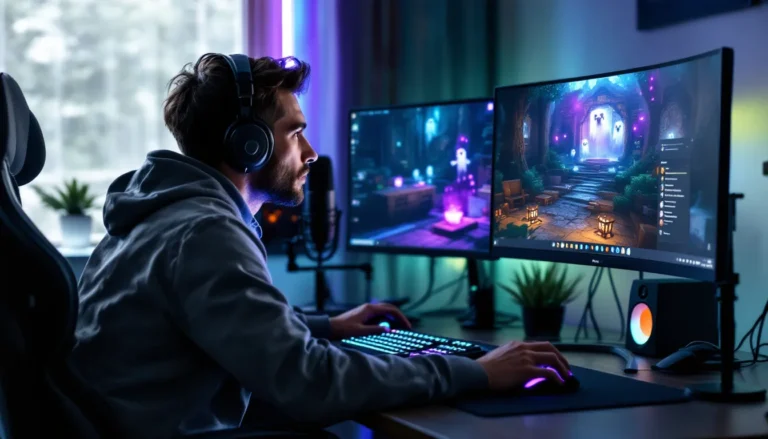
In the world of gaming, every frame counts. Gamers often find themselves caught in the eternal debate: does more RAM really boost FPS? Picture this: you’re in the heat of battle, your heart’s racing, and suddenly your game stutters like a toddler learning to walk. Frustrating, right?
While many gamers swear by the power of extra RAM, it’s crucial to understand how it plays into the grand scheme of performance. More RAM can be like adding extra lanes to a highway—more room for data to zoom through. But will it turn your laggy experience into a smooth ride? Join the quest as we dive into the science behind RAM and FPS, uncovering whether that extra memory is the secret weapon you need to dominate your next gaming session.
Does More RAM Help FPS?
Increasing RAM can enhance gaming performance, but the impact on FPS varies by game and system configuration. When a system runs out of RAM, it relies on slower storage, which leads to stuttering and lag. More RAM reduces the chances of this slowdown.
Games that demand high resources benefit from additional RAM. A modern title may require 16GB or more for optimal performance. Competitive games often maximize FPS with lower memory usage, but adding more RAM can still provide smoother gameplay.
An example illustrates this: a system with 8GB may struggle with background applications running alongside a resource-intensive game. Increasing to 16GB allows smoother multitasking, directly benefiting FPS in those scenarios.
Performance gains from adding RAM often plateau beyond a certain point. Systems with 32GB or more sometimes show little improvement in FPS unless they handle specific tasks, like video editing or heavy multitasking.
Understanding the balance between GPU, CPU, and RAM is crucial. While RAM plays a role, upgrading the graphics card or CPU yields more significant FPS boosts in many cases. Running benchmarks can help determine the exact impact of RAM in specific gaming setups.
More RAM can help improve FPS, particularly in demanding situations or when multitasking. However, the overall impact depends on the game, system configuration, and other hardware components. Prioritizing a balanced system is crucial for achieving optimal gaming performance.
Understanding FPS and RAM

Frames per second (FPS) measures how smoothly a game runs. Higher FPS results in smoother gameplay and a more responsive experience for players. Common standards for FPS include 30, 60, and 120. Gamers often aim for at least 60 FPS in competitive games to ensure optimal performance and minimal lag.
What Is FPS?
FPS stands for frames per second and indicates the number of images displayed on a screen each second. A higher FPS translates to smoother motion and greater fluidity in gameplay. For instance, 60 FPS offers a noticeable improvement over 30 FPS, especially in fast-paced games. Players experience reduced motion blur and improved accuracy with higher FPS levels. Achieving high FPS also depends on various system components, including the CPU and GPU, making overall system performance a key factor in gaming experiences.
The Role of RAM in Gaming
RAM serves as temporary storage for data that a computer needs quickly and regularly. In gaming, it supports the seamless loading of textures, game assets, and background processes. Additional RAM allows more data to be stored, reducing the reliance on slower storage options. Games that require significant resources often benefit from 16GB or more of RAM for optimal performance. While resource-intensive games utilize extra memory, casual games might not see substantial improvements. More RAM aids in multitasking by allowing players to run background applications concurrently, contributing to a smoother experience overall. Balancing RAM with the CPU and GPU remains essential for maximizing gaming performance.
How RAM Affects Game Performance
RAM significantly influences gaming performance by affecting loading times and overall smoothness. An adequate amount helps ensure seamless gameplay, while insufficient memory can lead to performance issues.
Minimum and Recommended RAM Requirements
Minimum RAM requirements typically range from 8GB for less demanding games to 16GB for most modern titles. Gamers often notice improvements in performance with 16GB, particularly in resource-intensive scenarios. Some high-end games and future releases may even recommend 32GB to ensure optimal experience. Keeping these figures in mind informs decisions on upgrades.
The Impact of Insufficient RAM
Insufficient RAM leads to reliance on disk storage, resulting in stuttering and lag when running games. When a system lacks enough memory, it struggles to load textures and assets efficiently, hindering gameplay. Players experience noticeable drops in FPS, especially during intense moments. Additionally, running background applications can exacerbate these issues. Thus, understanding RAM’s role is crucial for gamers aiming for higher performance and smoother experiences.
Scenarios Where More RAM Matters
Certain gaming scenarios highlight the benefits of increased RAM. Understanding these situations helps gauge the impact on FPS.
Multiplayer vs. Single-Player Games
Multiplayer games often require more RAM than single-player experiences. These games handle numerous connections and dynamic elements, demanding quick data access. Increased RAM enhances the ability to process multiple player actions simultaneously. As a result, smoother gameplay occurs, particularly in battle royale titles where players face off in large environments. Conversely, single-player games typically rely less on external interactions. Players might experience a stable performance with the standard RAM recommendations. However, upgrading RAM can still improve loading times and reduce stuttering, enhancing the overall experience.
Running Multiple Applications
Running multiple applications during gaming significantly affects performance. Gamers often use voice chat software or streaming tools alongside games, increasing memory demands. More RAM accommodates these concurrent processes without slowing down or causing stutters. Additional RAM prevents the system from relying on slower storage solutions, maintaining a stable frame rate. It leads to a more enjoyable gaming experience, as focus remains on gameplay instead of performance dips. Gamers who frequently multitask should consider the benefits of extra RAM for smoother performance.
More RAM can certainly improve gaming performance but its effects on FPS depend on various factors. Gamers should consider their specific needs and the types of games they play. While resource-heavy titles may benefit from additional memory, competitive games often rely more on CPU and GPU capabilities.
It’s essential to strike a balance between RAM and other system components for optimal performance. Upgrading RAM can lead to smoother gameplay and reduced stuttering especially when multitasking. However gamers should also be aware that beyond a certain point the returns diminish.
Ultimately understanding the interplay between RAM and other hardware elements is key to achieving the best gaming experience.