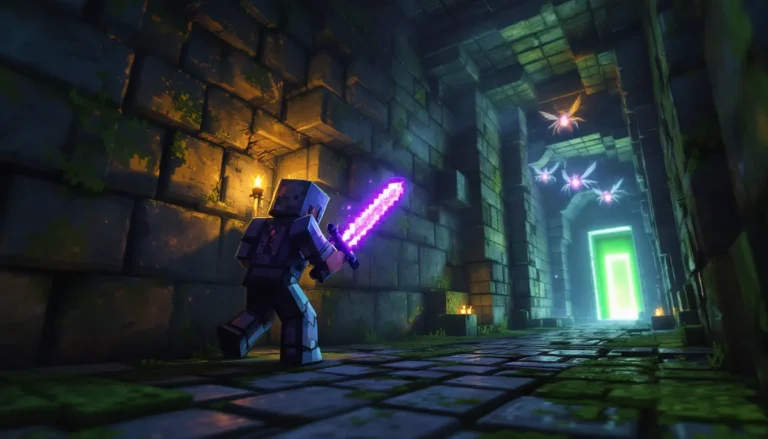
Your blocky avatar doesn’t have to look like the default Steve or Alex. In Minecraft, your skin is your identity, whether you’re streaming a hardcore survival series, roleplaying on a modded server, or just building with friends. The right skin turns you from another generic player into a fully realized character that matches your vibe, your world, and your playstyle.
With millions of skins available across the Marketplace, community sites, and custom creators, finding the perfect look can feel overwhelming. Some skins nail the pixel art aesthetic with sharp detailing and creative shading. Others miss the mark with washed-out colors or broken texture layers. This guide cuts through the noise to showcase the best Minecraft skins across every category, from character mashups and medieval warriors to meme legends and futuristic cyborgs, plus where to find them, how to install them across Java, Bedrock, and mobile, and what makes a skin genuinely worth wearing in 2026.
Table of Contents
ToggleKey Takeaways
- The best Minecraft skins balance technical pixel art quality, design clarity, and personal expression while maintaining compatibility across Java, Bedrock, and mobile platforms.
- Popular Minecraft skin categories in 2026 include cyberpunk aesthetics, cottage-core styles, fantasy medieval designs, and hybrid creature skins that reflect current gaming trends.
- Free community sites like NameMC and Planet Minecraft offer millions of quality skins, while premium Marketplace options provide licensed characters and guaranteed cross-platform compatibility.
- Installing custom Minecraft skins is straightforward across all platforms—download a PNG file, access your profile or character editor, and import directly without additional software.
- Matching your skin to your playstyle enhances immersion: choose practical adventurer designs for survival, thematic outfits for builders, intimidating warrior skins for PvP, and recognizable skins for streaming.
- Creating your own custom Minecraft skin is accessible through free browser-based editors like Novaskin or Skinseed, making personalized character designs achievable for all skill levels.
What Makes a Great Minecraft Skin?
Not all skins are created equal. A great Minecraft skin balances technical quality with personal expression, fitting seamlessly into the game while standing out in multiplayer lobbies.
Design Quality and Detailing
Pixel art is deceptively difficult. The best skins use shading techniques, gradients, highlights, and strategic color placement, to create depth on a 64×64 texture map. Look for clean lines, intentional contrast, and details that read clearly from typical gameplay distances.
Poorly designed skins suffer from muddy colors, asymmetrical features, or textures that don’t align properly with the character model’s UV mapping. High-quality skins maintain visual clarity whether you’re in first-person, third-person, or viewing another player from across a build.
Compatibility with Game Versions
Java Edition and Bedrock Edition use different skin formats. Java supports both classic (64×32) and modern (64×64) formats, while Bedrock requires 64×64 and allows for additional customization layers.
If you play across platforms, PC, console, and mobile, verify that your chosen skin works everywhere. Some community skins are Java-only and need conversion before they’ll display correctly on PlayStation 5, Xbox Series X
|
S, Nintendo Switch, or mobile devices.
Personal Style and Character Expression
Your skin should reflect how you play. Building-focused players might lean toward architect or builder outfits. PvP grinders often choose intimidating warrior or armored skins. Roleplayers need skins that match their server’s lore or character backstory.
The best skin is the one that makes you feel at home in your Minecraft world. Don’t chase trends if they don’t match your aesthetic, authenticity beats hype every time.
Top Minecraft Skins by Category
Here’s a breakdown of the standout skins across the most popular categories in 2026, based on design quality, community popularity, and versatility.
Best Character and Pop Culture Skins
Pop culture crossovers remain massive in the Minecraft community. The officially licensed skins on the Marketplace deliver polished, accurate representations:
- Spider-Man (Classic and MCU variants): Clean web detailing and multiple suit options
- The Mandalorian: Beskar armor shading is pixel-perfect
- Stranger Things Character Pack: Eleven, Dustin, and crew with show-accurate outfits
- Star Wars Legacy Pack: Includes Luke, Leia, Vader, and prequel-era Jedi
- Naruto Shippuden Skins: Hokage robes, Akatsuki cloaks, and Sharingan eye details
Community-made character skins often rival official releases. Look for creators who specialize in anime or TV adaptations, they’re typically found on sites like Twinfinite, where dedicated artists share high-resolution alternatives.
Best Fantasy and Medieval Skins
Fantasy skins fit Minecraft’s core aesthetic better than any other genre. These excel in survival and roleplay servers:
- Royal Knight Set: Gold-trimmed armor with layered chainmail and heraldic symbols
- Dark Sorcerer: Flowing robes with arcane runes and shadowed hoods
- Elven Ranger: Leaf-green tunics, quivers, and pointed ears with natural texture gradients
- Dwarven Blacksmith: Bearded, soot-stained, with leather aprons and tool belts
- Dragon Slayer: Battle-worn plate armor with dragon scale accents
Medieval skins remain dominant on faction and kingdom-building servers, where aesthetic cohesion matters for immersion.
Best Animal and Creature Skins
Animal skins add personality without heavy thematic commitment. They’re popular with younger players and casual builders:
- Red Panda: Fluffy texture work with expressive face detailing
- Axolotl (Multiple color variants): Matches the in-game mob aesthetic
- Wolf Pack Collection: Gray, arctic, and timber wolf variants
- Dragon Hybrids: Wings, horns, and scaled textures that maintain humanoid proportions
- Phoenix: Flame gradients and feathered wings with ember particle effects (Bedrock)
Creature skins work especially well for players who main specific biomes or build nature-themed worlds.
Best Sci-Fi and Futuristic Skins
Futuristic skins thrive on modded servers and tech-focused builds. The contrast between blocky Minecraft and sleek sci-fi creates a striking visual:
- Cyberpunk Netrunner: Neon accents, chrome limbs, and glowing visor effects
- Space Marine (Various chapters): Power armor with chapter insignias and battle damage
- Android Unit 7: Exposed circuitry panels and glowing eyes
- Galactic Bounty Hunter: Helmeted, armored, with shoulder-mounted tech
- Astronaut (NASA and private company variants): Detailed suit textures and reflective helmets
These skins pair perfectly with tech mods or space-themed adventure maps.
Best Meme and Fun Skins
Meme skins keep Minecraft’s community vibe alive. They’re conversation starters in lobbies and perfect for casual sessions:
- Shrek: Accurate layered textures including vest and ears
- Amogus Crewmate: Still going strong with color variants
- Gigachad: Meme-accurate facial structure and physique
- Pepe Variants: Classic, rare, and smug versions
- Banana Suit Steve: Absurd and immediately recognizable
Don’t sleep on meme skins, they’re low-commitment fun and often the most memorable in group screenshots.
Premium vs. Free Minecraft Skins
The eternal question: should you pay for skins?
Free skins dominate the community. Sites like NameMC, Planet Minecraft, and The Skindex host millions of user-created designs at zero cost. Quality varies wildly, but talented creators regularly release skins that rival premium offerings. Free skins require manual installation and aren’t always cross-platform compatible without conversion.
Premium skins from the official Minecraft Marketplace offer guaranteed compatibility across all Bedrock platforms, licensed character accuracy, and often include bonus content like emotes or additional variants. Prices typically range from $1.99 to $7.99 for full packs.
The verdict? Free skins are perfect for Java players and anyone willing to handle installation manually. Premium skins make sense for Bedrock players who want one-click installation, official licenses, or exclusive Marketplace content that won’t appear elsewhere.
Many dedicated players mix both, grabbing free community skins for variety while purchasing premium packs for favorite franchises or special occasions. Players who enjoy creative building projects often prefer free skins for the sheer variety available.
Where to Find the Best Minecraft Skins
Knowing where to look saves hours of scrolling through low-quality uploads.
Official Minecraft Marketplace
The Minecraft Marketplace (Bedrock only) offers curated, licensed content. Everything here works across PC, console, and mobile without conversion. Featured creators include Noxcrew, Blockworks, and Everbloom Games.
Pros: One-click installation, cross-platform sync, official licenses, quality control.
Cons: Costs Minecoins, limited selection compared to community sites, Bedrock-exclusive.
Best for: Console and mobile players, licensed character fans, users who value convenience over customization.
Top Community Skin Websites
Free community sites host the vast majority of Minecraft skins:
- NameMC: Largest database with over 10 million skins, advanced search filters, and creator profiles. Integrates directly with Mojang accounts for Java players.
- Planet Minecraft: Curated collections, featured creators, and community voting. Strong moderation keeps quality high.
- The Skindex: User-friendly editor built into the site, massive library, and mobile-optimized downloads.
- MinecraftSkins.com: Simple interface, trending skins, and category browsing.
Community sites excel for Java Edition players and anyone wanting maximum variety. Many players exploring Minecraft PE find these resources invaluable for mobile customization.
Creator Collections and Custom Commissions
Talented skin artists often maintain portfolios on Twitter, DeviantArt, or dedicated creator platforms. Some offer custom commissions ($5-$50 depending on complexity) for fully personalized designs.
Custom skins are worth considering for:
- Content creators building a brand identity
- Roleplay server admins needing unique character designs
- Players who want original art based on their OCs or D&D characters
Check Game8 for creator spotlights and portfolio showcases from top skin artists in the community.
How to Install Custom Skins in Minecraft
Installation methods differ by platform. Here’s the exact process for each.
Installing Skins on Java Edition
Java Edition makes skin installation dead simple:
- Download your chosen skin file (PNG format, typically 64×64 pixels)
- Go to minecraft.net/profile and sign in with your Microsoft account
- Click Choose File under the skin preview
- Upload your PNG file
- Select Classic or Slim model depending on arm thickness
- Click Save
Changes appear immediately in-game. No restart required. Your skin syncs across all Java Edition servers automatically.
Installing Skins on Bedrock Edition
Bedrock handles skins differently depending on platform:
On PC, Xbox, PlayStation, and Switch:
- Download the skin file in PNG format (64×64)
- Launch Minecraft and go to Profile → Edit Character
- Select Owned tab, then choose Import
- Browse to your downloaded skin file
- Select Classic or Slim model
- Confirm and save
Note: Console players may need to transfer skin files via USB or use the companion app on mobile to import custom skins.
Many players on newer Minecraft versions appreciate the expanded skin customization options introduced in recent updates.
Installing Skins on Mobile Devices
Mobile installation (iOS and Android) follows the Bedrock method:
- Download skin PNG to your device (use Safari/Chrome file download)
- Open Minecraft and tap Profile
- Tap Edit Character → Owned → Import
- Navigate to Downloads folder and select your skin file
- Choose model type and confirm
Alternatively, use apps like Skinseed or Addons for Minecraft which streamline the process with built-in browsers and one-tap imports.
How to Create Your Own Custom Minecraft Skin
Creating a custom skin lets you craft something truly unique. It’s easier than you’d think.
Using Skin Editors and Creation Tools
Several free editors make skin creation accessible:
- Novaskin: Browser-based 3D editor with layer support, templates, and real-time preview. Best for beginners.
- Skinseed (Mobile): Mobile app with drawing tools, color palettes, and community templates. Available on iOS and Android.
- MCSkin3D: Downloadable Windows tool with advanced layer editing and transparency support. Preferred by experienced creators.
- Miners Need Cool Shoes: Web editor with minimalist interface and quick export options.
All editors export standard PNG files compatible with both Java and Bedrock editions. Most include base templates (Steve or Alex models) to build from.
Design Tips for Beginners
Making your first skin? Keep these principles in mind:
Start with a base: Modify an existing skin rather than building from scratch. Change colors, add accessories, or remix elements.
Use shading: Even simple gradients make skins pop. Darker shades on the sides and bottom of features create depth.
Test in 3D: Flat 2D textures look different when wrapped on the model. Use editor preview modes to check all angles.
Keep it simple: Over-detailing creates visual noise. Pixel art thrives on clean, readable designs.
Match symmetry: Unless going for asymmetric style deliberately, mirror left and right sides for professional polish.
Study popular skins: Examine highly-rated skins on community sites and platforms like Nexus Mods to understand what works. Notice how they handle facial features, clothing textures, and color theory.
Your first skin won’t be perfect, that’s normal. Iteration is part of the process. Players who spend time mastering creative techniques often find skin creation a natural extension of their building skills.
Trending Minecraft Skin Styles in 2026
Skin trends shift with cultural moments and game updates. Here’s what’s dominating in 2026:
Cyberpunk Aesthetics: Neon colors, chrome accents, and dystopian themes continue their surge from 2024-2025. Expect glowing elements, techwear-inspired outfits, and cybernetic enhancements.
Cottage-core and Cozy Styles: A counter-trend to cyberpunk, cottage-core skins feature soft pastels, floral patterns, gardener outfits, and warm earth tones. Popular with builders focusing on rustic or pastoral builds.
Battle-Damaged Variants: Standard skins with added wear and tear, scars, torn clothing, weathered armor. Provides character history at a glance.
Minimalist Monotone: Clean, simple designs using limited color palettes (often grayscale, beige, or single-color themes). Appeals to players who prefer understated style.
Hybrid Creature Designs: Half-human, half-creature skins (angels, demons, hybrids) with wings, tails, horns, or elemental effects. Especially popular on roleplay servers.
Streetwear Fashion: Modern clothing styles, hoodies, sneakers, branded apparel, translated into pixel art. Crosses over with real-world fashion trends.
Trends cycle quickly, but these styles show staying power heading deeper into 2026. Players who experiment with different combat approaches often choose skins that match their preferred playstyle identity.
Tips for Choosing the Perfect Skin for Your Playstyle
Your skin should complement how you actually play Minecraft. Here’s how to match style with substance:
For Survival Players: Choose practical, thematic skins, adventurers, miners, explorers. Avoid overly flashy designs that clash with survival’s grounded aesthetic. Earth tones and realistic textures feel at home in survival worlds.
For Creative Builders: Go wild. Your skin is part of your creative vision. Match it to your build theme, architect skins for modern cities, fantasy garb for castles, futuristic outfits for sci-fi builds. Younger players rocking Minecraft-themed fashion often extend that aesthetic into their in-game skins.
For PvP and Competitive: Intimidation matters. Armored warriors, ninjas, assassins, or battle-scarred veterans project strength. Some competitive players prefer darker skins for slight visibility advantages in shadows (though effect is minimal).
For Roleplay Servers: Strict adherence to server lore is critical. Many RP servers have skin requirements or approved lists. Read server rules before joining.
For Multiplayer Minigames: Fun, recognizable, or meme skins work best. You want to be memorable and approachable in casual lobbies.
For Streaming and Content Creation: Brand consistency is key. Choose a distinctive skin and stick with it so viewers recognize you instantly. Many successful creators commission unique skins that become their visual trademark.
Don’t be afraid to rotate skins based on what you’re doing. Save favorites and swap them out when switching between survival worlds, creative projects, or server hopping.
Conclusion
Your Minecraft skin is more than cosmetic, it’s how you present yourself in one of gaming’s largest communities. Whether you’re rocking a licensed Spider-Man skin from the Marketplace, a community-made cyberpunk netrunner, or a custom commission of your D&D character, the right skin makes every session feel more personal.
The best part? You’re never locked in. Swap skins as often as your mood changes. Try a medieval knight for your castle build, switch to an astronaut for your space station, then throw on a meme skin for minigame night with friends.
With thousands of high-quality options available for free, intuitive installation across all platforms, and creation tools that make designing your own skin accessible, there’s zero reason to stick with default Steve in 2026. Find something that feels like you, and make your mark on the blocky worlds you build.