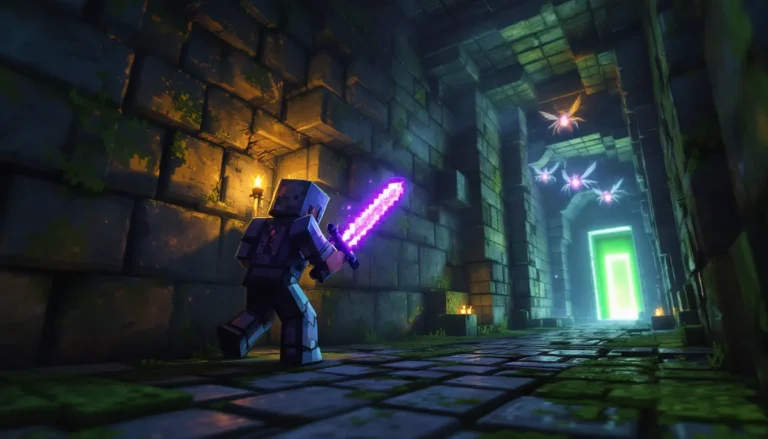
Mining through dark caves or building in dim biomes gets old fast. You’re either spam-placing torches every three blocks or squinting at your monitor trying to see if that shadow is coal ore or just stone. Fullbright cuts through all that hassle by cranking up your in-game visibility to the max, making every block as clear as if you were standing under direct sunlight.
Whether you’re strip-mining at Y-11, laying redstone circuits in your basement, or trying to spot players in dark corners during PvP, fullbright has become a near-essential quality-of-life feature for millions of players. The catch? Vanilla Minecraft doesn’t have a “turn on fullbright” button sitting in the settings menu. You’ll need mods, resource packs, or config file tweaks depending on which edition you’re running.
This guide covers every method to enable fullbright in both Java and Bedrock editions as of 2026, breaks down the best mods and tools available, and answers the big question: will you get banned for using it on servers?
Table of Contents
ToggleKey Takeaways
- Fullbright in Minecraft is a client-side visibility enhancement that eliminates darkness by pushing gamma values far beyond the vanilla cap, making cave exploration and building projects significantly faster without requiring torches or potions.
- Java Edition players can enable fullbright through OptiFine, gamma file editing, or dedicated mods like Gamma Utils and Fullbright Toggle, while Bedrock players must use resource packs that work across PC, console, and mobile platforms.
- Server policies vary widely: casual survival and modded servers typically allow fullbright, but competitive PvP servers often ban it due to the unfair advantage in dark combat scenarios—always check /rules before enabling it.
- Fullbright provides more consistent convenience than Night Vision potions since it’s always-on and requires zero resources, though Night Vision remains the only server-legal option for competitive environments that restrict client modifications.
- Performance impacts are negligible when using lightweight fullbright mods, but conflicts with incompatible combinations like OptiFine + Sodium or heavy shader packs can cause FPS drops that require troubleshooting and driver updates.
What Is Fullbright in Minecraft?
Fullbright is a client-side modification that removes or dramatically reduces darkness in Minecraft by forcing the game to render all blocks at maximum brightness. Unlike placing torches or using the Night Vision potion effect, fullbright doesn’t rely on in-game light sources or temporary buffs. It’s an always-on visibility boost that makes every surface, cave walls, ocean floors, unlit structures, appear as if bathed in daylight.
Technically, fullbright works by manipulating the game’s gamma value (brightness setting) or overriding the lighting engine entirely. The vanilla gamma slider in Minecraft caps at 100%, which still leaves plenty of shadows. Fullbright pushes that value far higher, often to 500% or more, or rewrites how the client processes light levels.
It’s important to note that fullbright is purely visual and client-side. It doesn’t add actual light blocks to the world, so mobs can still spawn in dark areas even though you see everything clearly. Your screen shows brightness: the game world still registers darkness for spawn mechanics and mob behavior.
Why Players Use Fullbright
Fullbright isn’t just a convenience feature, it fundamentally changes how you interact with Minecraft’s darker environments. Here’s why it’s become so widespread across playstyles.
Enhanced Cave Exploration
Caves are where you spend a massive chunk of survival gameplay, and vanilla lighting makes them a nightmare. Torch spam breaks immersion, clutters your hotbar, and still leaves pockets of shadow where you miss valuable ores.
With fullbright, you can sweep through cave systems at full speed, spotting Ancient Debris, Diamond Ore, and mob spawners from across ravines. No more second-guessing whether that dark patch is empty space or a Creeper waiting to ruin your day. It’s especially valuable in the Deep Dark biome introduced in the Wild Update, where placing torches can trigger Sculk Shriekers and summon the Warden.
Building and Redstone Projects
Anyone who’s built a large-scale redstone contraption or worked on interior design knows how frustrating lighting can be. You’re constantly toggling between placing circuits and adjusting light sources to see what you’re doing.
Fullbright eliminates that friction entirely. You can wire up complex contraptions in enclosed spaces, plan builds in unlit areas, and preview how structures look before committing to a lighting scheme. Creative mode players use it to speed up workflow: survival builders use it to avoid wasting materials on temporary torches.
PvP and Competitive Advantages
In PvP scenarios, especially on servers with darker maps or combat arenas, fullbright gives you a legitimate edge. You can track opponents hiding in shadows, navigate terrain faster without light sources giving away your position, and react quicker in low-light ambushes.
That said, this is where server rules come into play. Some competitive servers classify fullbright as a disallowed client modification because it grants an unfair advantage. Always check the specific server’s policy before enabling it in PvP contexts.
How to Enable Fullbright in Minecraft Java Edition
Java Edition offers the most flexibility for enabling fullbright, from quick config tweaks to full mod installations. Here are the three main methods.
Using OptiFine for Fullbright
OptiFine remains the most popular performance mod for Java Edition, and it includes built-in fullbright functionality. As of version 1.21.x in 2026, OptiFine’s fullbright feature is accessible through the Video Settings menu.
- Download and install OptiFine for your Minecraft version from the official site
- Launch Minecraft with the OptiFine profile
- Go to Options > Video Settings > Details
- Set Brightness to the maximum value (which OptiFine extends beyond vanilla’s cap)
- Toggle Dynamic Lights if you want held torches and items to cast light
OptiFine’s implementation is clean, doesn’t flag most anti-cheat systems, and integrates seamlessly with shader packs. The downside? It’s not compatible with Fabric-based mods without workarounds, and updates can lag behind new Minecraft releases.
Gamma Value Adjustments
If you don’t want to install mods, you can manually edit Minecraft’s options.txt file to push the gamma value beyond the in-game slider limit. This is the lightest-weight method and works on any Java Edition version.
- Close Minecraft completely
- Navigate to your
.minecraftfolder (Windows:%APPDATA%.minecraft) - Open options.txt in a text editor
- Find the line
gamma:1.0(or whatever value it’s currently set to) - Change it to
gamma:5.0or higher (some players go as high asgamma:10.0) - Save the file and restart Minecraft
The game will appear fully bright when you load back in. The catch: Minecraft sometimes resets this value on updates or if you adjust video settings in-game. You’ll need to re-edit the file periodically.
Installing Fullbright Mods
Beyond OptiFine, dedicated fullbright mods offer more control and often better performance. For Fabric users, mods like LambDynamicLights and Okzoomer pair well with lightweight fullbright mods like Gamma Utils.
For Forge users, mods such as Fullbright Toggle provide a simple keybind (usually F9 or customizable) to toggle fullbright on and off without opening menus. Many of these modding tools are actively maintained for the latest game versions.
Installation steps for Fabric/Forge fullbright mods:
- Install the appropriate mod loader (Fabric or Forge) for your Minecraft version
- Download the fullbright mod file (
.jar) compatible with your loader and Minecraft version - Place the
.jarfile in your.minecraft/modsfolder - Launch Minecraft with the modded profile
- Use the assigned keybind or mod menu to toggle fullbright
Most of these mods are incredibly lightweight, under 100KB, and have negligible impact on FPS.
How to Enable Fullbright in Minecraft Bedrock Edition
Bedrock Edition (Windows 10/11, Xbox, PlayStation, Switch, Mobile) doesn’t support traditional mods like Java, but fullbright is still achievable through resource packs and third-party tools.
Resource Pack Method
The cleanest way to enable fullbright on Bedrock is through a fullbright resource pack. These packs override the game’s light rendering without requiring external apps or jailbreaking consoles.
- Download a fullbright resource pack (common ones include “Fullbright UHC” or “Ultra Bright Texture Pack”)
- For PC: place the
.mcpackfile in your resource packs folder and activate it in Settings > Global Resources - For consoles/mobile: import the pack via file transfer, cloud storage, or the in-game marketplace if available
- Move the pack to the top of your active resource packs list
- Restart Minecraft to apply changes
Resource packs work across all Bedrock platforms, PC, Xbox Series X
|
S, PlayStation 5, Switch, and mobile, making them the most universal solution. The downside is they can’t be toggled on and off quickly like a keybind: you’ll need to disable the pack through settings.
Third-Party Apps and Add-Ons
For Windows 10/11 Bedrock players, third-party launchers and tools like Universal Minecraft Editor and Toolbox for Minecraft PE offer fullbright toggles alongside other client-side features. These tools modify game files or inject settings at runtime.
Mobile players on Android have more flexibility than iOS users. Apps like Blocklauncher (for older Bedrock versions) and Addons Maker allow script-based fullbright. iOS users are mostly limited to resource packs due to platform restrictions.
Console players (Xbox, PlayStation, Switch) are restricted to resource packs only, as these platforms don’t allow external app modifications without jailbreaking, which can result in bans and voided warranties.
Best Fullbright Mods and Tools for Minecraft
Not all fullbright solutions are created equal. Here’s a breakdown of the top options for Java and Bedrock players in 2026.
OptiFine
Platform: Java Edition (Forge-compatible, partial Fabric support via OptiFabric)
Current Version: 1.21.5 (as of March 2026)
Download: OptiFine official site
OptiFine is the gold standard for Java performance optimization, and its fullbright feature is just one of dozens of enhancements. Beyond brightness control, you get FPS boosts, shader support, dynamic lighting, connected textures, and granular video settings.
The fullbright implementation is server-friendly, it doesn’t trigger most anti-cheat plugins because it works by extending the vanilla gamma slider rather than injecting lighting overrides. The trade-off is that OptiFine updates can lag a few weeks behind major Minecraft releases, and it conflicts with some Fabric-exclusive mods.
Best for: Players who want an all-in-one performance and visual enhancement mod.
Fabric and Forge Fullbright Mods
Fabric:
- Gamma Utils (Ok Zoomer) – Lightweight, keybind toggle, 1.21.x compatible
- LambdaBetterGrass + Fullbright Extension – Pairs visual upgrades with fullbright
Forge:
- Fullbright Toggle Mod – Simple
F9keybind, minimal overhead - JourneyMap + Fullbright Plugin – Combines minimap functionality with lighting control
These dedicated mods are stripped-down compared to OptiFine, usually under 50KB, and focus solely on brightness manipulation. They’re perfect if you’re already running a modpack and don’t want OptiFine’s feature bloat or compatibility issues.
Fabric mods generally update faster and work better with modern performance mods like Sodium and Iris Shaders. Forge mods have broader compatibility with older modpacks.
Best for: Modpack users and players who want lightweight, toggle-friendly fullbright.
Standalone Fullbright Resource Packs
Platform: Bedrock Edition (all platforms), Java Edition (limited)
Bedrock:
- Fullbright UHC Resource Pack – Standard brightness override, console-compatible
- Ultra Bright Texture Pack – Extends to underwater and Nether visibility
Java:
- Vanilla Tweaks Fullbright – Part of the Vanilla Tweaks customization suite
Resource packs are the only fullbright option for console Bedrock players, and they require zero installation beyond importing the file. The limitation is you can’t hotkey them on and off mid-session, and some competitive servers block custom resource packs entirely.
Best for: Bedrock console players, and anyone avoiding mods for server compatibility.
Is Fullbright Allowed on Servers?
This is the question that determines whether fullbright is a harmless QoL feature or a bannable offense. The answer depends entirely on the server you’re playing.
Server Rules and Anti-Cheat Policies
Most survival multiplayer servers (SMPs, economy servers, factions) allow fullbright because it doesn’t grant a mechanical advantage, it doesn’t let you break blocks faster, deal more damage, or see through walls. Server staff generally view it the same way as custom texture packs or GUI mods.
But, competitive PvP servers, especially those running game modes like UHC, Bedwars, or SkyWars, often ban fullbright in their rules. The reasoning is that it gives an unfair edge in dark maps or nighttime combat scenarios. Servers like Hypixel historically allowed gamma adjustments but banned client-side lighting mods that overrode light levels.
Anti-cheat plugins like Spartan, AAC, and Vulcan typically don’t flag fullbright because it’s a visual-only client change. The exception is if the fullbright mod bundles other features (X-ray, speed hacks, killaura) that do trigger detection.
Always read the /rules or check the server’s Discord/website before enabling fullbright in competitive or economy-based environments. For more clarity on server rules and mod policies, gaming communities often compile comprehensive guides on what’s allowed.
Vanilla Servers vs. Modded Servers
Vanilla servers are more likely to scrutinize client modifications because the gameplay loop assumes default lighting mechanics. Some hardcore survival servers specifically ban fullbright to maintain difficulty balance.
Modded servers (especially those running tech or magic modpacks) rarely care about fullbright since players are already using dozens of client-side mods. If the server requires a specific mod loader (Fabric, Forge, Quilt), fullbright mods are usually fair game.
Realm and private server owners set their own rules. If you’re playing on a friend’s Realm, ask before enabling it, some players consider it “cheating” in a communal survival experience.
Bottom line: when in doubt, ask a moderator or check the server’s rules page. Most servers explicitly list allowed and banned mods.
Fullbright vs. Night Vision: Which Is Better?
Both fullbright and the Night Vision potion effect make darkness visible, but they serve different purposes and come with different trade-offs.
Night Vision is a vanilla potion effect that lasts 3 minutes (8 minutes with Redstone extension). It provides near-total visibility in darkness and underwater, but it requires brewing ingredients (Golden Carrot + Awkward Potion) and inventory management. The effect also creates a subtle visual distortion at the edge of your screen and transitions abruptly when it wears off, which can be disorienting mid-combat.
The advantage? Night Vision is 100% vanilla and server-legal everywhere. It doesn’t require mods or risk server bans. The downside is constant maintenance, you need a steady supply of potions, which means farming Nether Wart, Blaze Powder, and Golden Carrots.
Fullbright is always-on, requires zero resources, and doesn’t come with visual distortions or timers. You don’t need to dedicate inventory slots to potions or worry about the effect expiring while you’re deep in a cave.
The trade-off is server policy. Some servers ban fullbright mods: none ban Night Vision. Fullbright also doesn’t work underwater in some implementations (depends on the mod or pack), whereas Night Vision gives perfect underwater clarity.
For general survival and building: Fullbright wins. It’s set-and-forget convenience.
For server play where mods are restricted: Night Vision is your only option.
For underwater exploration: Night Vision is superior unless you’re using a Bedrock fullbright pack that includes underwater brightness.
Some players run both, fullbright for everyday use, Night Vision as a backup when diving or if they join a server that bans client mods. The server modding communities often debate this balance between vanilla compliance and QoL convenience.
Troubleshooting Common Fullbright Issues
Fullbright setups occasionally break after updates or conflict with other mods. Here’s how to fix the most common problems.
Fullbright Not Working After Updates
Minecraft updates, especially major version jumps, can reset your options.txt gamma value back to 1.0 or break mod compatibility.
For manual gamma edits:
- Re-open
options.txtand setgamma:5.0(or your preferred value) again - Set the file to read-only (right-click > Properties > check Read-only) to prevent Minecraft from overwriting it
- Note: Read-only can cause issues if you want to change other video settings later
For OptiFine users:
- Check if an updated OptiFine version exists for your new Minecraft version
- Fullbright may be temporarily disabled until OptiFine catches up (usually 1-3 weeks after major updates)
- You can manually edit gamma as a temporary workaround
For Fabric/Forge mod users:
- Verify the mod is updated for your Minecraft version
- Check the mod’s CurseForge or Modrinth page for compatibility notes
- Some mods require API updates (Fabric API, Forge) to function, make sure those are current
For Bedrock resource packs:
- Re-import the pack if it disappeared after an update
- Ensure the pack’s
manifest.jsonsupports the new Bedrock version (check the pack creator’s page for updates)
Performance and FPS Drops
Fullbright itself is extremely lightweight and shouldn’t cause FPS drops. If you’re experiencing performance issues after enabling it, the culprit is usually elsewhere.
Check for shader conflicts:
Some shader packs (especially older SEUS or BSL versions) conflict with fullbright mods by overriding lighting. Try disabling shaders temporarily to isolate the issue.
OptiFine + Sodium/Iris conflicts:
OptiFine and Sodium are incompatible on Fabric. If you’re trying to run both, you’ll get crashes or severe performance loss. Choose one or the other, Sodium for max FPS, OptiFine for features including fullbright.
Gamma value too extreme:
Setting gamma above 10.0 can cause visual glitches or rendering strain on some GPUs. Try lowering to gamma:5.0 or gamma:7.0.
Bedrock resource pack stacking:
Running multiple heavy resource packs (high-res textures + fullbright + custom UI) can tank FPS on lower-end devices. Disable unnecessary packs and keep fullbright at the top of the load order.
Driver updates:
Outdated GPU drivers occasionally interpret extreme gamma values incorrectly. Update to the latest NVIDIA, AMD, or Intel drivers.
If fullbright still causes issues, revert to vanilla settings and re-enable it one method at a time to identify the specific conflict.
Conclusion
Fullbright transforms how you experience Minecraft’s darker environments, whether you’re mining through Deep Dark caverns, wiring redstone in enclosed builds, or navigating nighttime PvP arenas. The barrier to entry is low: a quick config edit, a lightweight mod, or a resource pack gets you up and running in minutes.
Java players have the most options, from OptiFine’s integrated solution to dedicated Fabric and Forge mods with hotkey toggles. Bedrock players rely on resource packs, which work across all platforms but lack the flexibility of keybinds. Either way, fullbright is accessible regardless of your setup.
Just remember to check server rules before enabling it in multiplayer. Most casual and modded servers welcome it: competitive PvP servers may not. When in doubt, ask staff or stick with vanilla Night Vision potions as a universally accepted alternative.
Now go light up those caves, metaphorically speaking.