In the vast pixelated world of Minecraft, players often find themselves wandering through endless landscapes, searching for the next big adventure. What if they could capture all that beauty in one giant map? Picture this: a sprawling canvas showcasing their epic builds and hidden treasures, all neatly displayed for friends and foes alike. It’s not just a map; it’s a masterpiece waiting to happen.
Understanding Minecraft Maps
Maps in Minecraft serve as navigational tools that players can utilize to explore vast worlds. They allow players to capture their surroundings, making it easier to showcase impressive builds and locate hidden treasures.
What Are Maps in Minecraft?
Maps represent a player’s perspective of their Minecraft environment. Players can craft them using paper and a compass, transforming a blank canvas into a detailed guide of their world. Each map expands dynamically as players explore new areas, providing real-time updates to their navigation.
Types of Maps Available
Minecraft offers several map types, each with distinct purposes. Explorer maps lead players to specific treasure locations. In addition, custom maps provide unique experiences, often created by the community for adventure or puzzle-solving. Biome maps highlight the various landscapes players can explore, while seed maps document specific world generation, allowing others to replicate or discover new experiences.
Preparing for Your Big Map
Creating a big map in Minecraft requires careful planning and preparation. Focus on gathering the right materials and selecting an ideal location for your masterpiece.
Collecting Necessary Materials
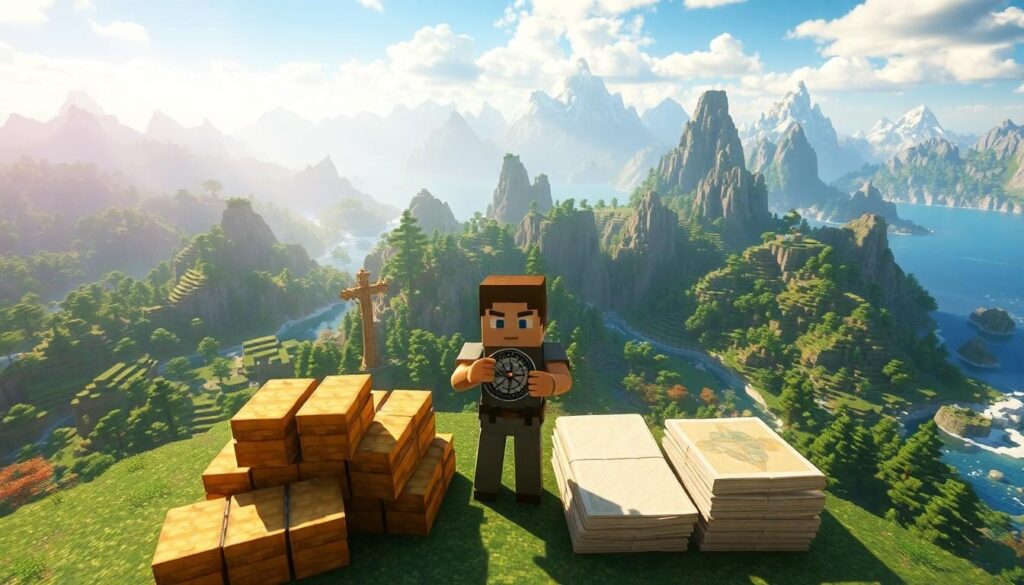
Gather essential items before starting your map project. Players need paper, which players can craft using sugar cane, and a compass made from iron and redstone. Crafting a map requires eight sheets of paper surrounding a compass in the crafting table. Collect enough sugar cane, as each paper requires three pieces. Consider creating multiple maps to cover larger areas effectively. Having extra resources ensures players can capture diverse landscapes without interruptions.
Choosing the Right Location
Select a location that showcases the beauty of Minecraft’s terrain. Evaluating various biomes for their unique features, such as oceans, mountains, and forests, enhances the map’s appeal. Altitude and distance will influence the areas captured in the map. Locate landmarks, such as villages or temples, to add interest and context. Timing the exploration during different times of day highlights how the scenery transforms with light. Ensure the chosen site aligns with personal preferences and the vision for the big map.
Steps to Make a Big Map in Minecraft
Creating a big map in Minecraft involves a few key steps that ensure optimal planning and execution. Players must understand how to craft the map item and expand its size effectively.
Creating the Map Item
To start, gather necessary materials. Paper comes from sugar cane, which can be found near water. A compass requires iron and redstone. Players craft a map by placing eight sheets of paper around a compass in the crafting grid. This process creates a basic map item. Crafting multiple maps helps cover larger areas, maximizing the player’s ability to explore. It’s beneficial to collect enough sugar cane for several maps beforehand, ensuring seamless expansion.
Expanding the Map Size
Once the initial map is crafted, players can expand its size easily. Combining maps in a crafting table allows for larger coverage. Players must place the map in the center of the crafting grid with additional sheets of paper surrounding it. Each time this process occurs, the size of the map increases, providing a broader view of the terrain. Exploring new areas as the map expands is crucial for discovering and detailing unique features. Timing exploration during various days enhances the map’s visual appeal.
Tips for Enhancing Your Big Map
Enhancing a big map in Minecraft involves detailing and creativity. Incorporating various features can lend character to the overall design.
Adding Details and Features
Incorporate biomes such as forests or deserts to add diversity. Players can place structures like castles or farms to create interesting focal points. Roads or paths enhance connectivity between landmarks and provide direction. Utilizing distinct colors in terrain can draw attention to important areas. Coordinating builds with natural landmarks makes navigation easier. Each detail contributes to a richer map experience and helps visitors appreciate its artistry.
Using Map Art Techniques
Using map art techniques transforms plain maps into stunning visual experiences. Players can create pixel art by laying out blocks in specific patterns. Choose colors carefully to ensure the art resonates on the map. Implement designs that reflect personal themes or game motifs. Adjust elevation by stacking blocks, giving characters or symbols depth. Experimenting with sizes and scales leads to unique artwork and offers visual storytelling through the map.
Conclusion
Creating a big map in Minecraft is an exciting journey that combines creativity with exploration. Players have the opportunity to showcase their builds and the stunning landscapes of their worlds. By carefully planning and gathering materials players can craft detailed maps that enhance their gameplay experience.
Incorporating various biomes and structures not only adds visual appeal but also enriches navigation. Utilizing map art techniques transforms ordinary maps into extraordinary pieces of art. With a bit of experimentation players can create unique maps that tell their own stories.
Ultimately this process allows players to connect with their Minecraft worlds in a meaningful way while sharing their masterpieces with others.