Building massive structures in Minecraft has always been one of the game’s most rewarding creative outlets. Whether it’s a towering recreation of a favorite character, a tribute to a beloved mob, or an abstract artistic expression, minecraft statues push the boundaries of what’s possible with simple blocks. They’re not just decoration, they’re statements. A well-crafted statue can become the centerpiece of a spawn town, the focal point of a server’s community hub, or simply a personal monument to hours of dedication and skill.
This guide covers everything builders need to know about planning, constructing, and perfecting minecraft statue builds. From selecting the right materials and scale to avoiding common proportion mistakes, readers will find actionable techniques and inspiration for their next epic monument.
Table of Contents
ToggleKey Takeaways
- Minecraft statues serve as pure creative expression and community landmarks that require planning ahead—choosing the right scale, reference images, and location before building thousands of blocks.
- Selecting the correct materials like concrete for vibrant colors, stone variants for classic monuments, or wood for organic themes directly impacts both the aesthetic appeal and construction speed of your minecraft statue.
- Avoid common mistakes such as inconsistent scaling, flat surfaces, and poor location scouting; use a small-scale prototype and reference images constantly to catch proportion errors early.
- Breaking statue construction into phases—foundation, main body, and details—prevents overwhelm and makes even massive 100+ block projects manageable for solo builders or teams.
- Strategic lighting, environmental integration, and atmospheric effects transform statues from daytime-only structures into 24/7 landmarks that stand out in multiplayer servers and spawn areas.
- WorldEdit mods, structure blocks, and creative mode testing streamline the building process, while in-game photography with shaders and video tours showcase completed statues and inspire other builders.
What Are Minecraft Statues and Why Build Them?
Minecraft statues are large-scale three-dimensional builds that represent characters, objects, creatures, or abstract concepts using blocks. Unlike functional builds like farms or redstone contraptions, statues serve purely aesthetic and creative purposes, though they often become landmarks that help players navigate sprawling worlds.
The appeal is straightforward. Statues let builders flex creative muscle without worrying about functionality. There’s no wiring to debug, no mob spawning mechanics to calculate, just pure artistic expression. They’re also visible proof of commitment. A 100-block-tall recreation of an Enderman or a detailed player skin statue signals to anyone who sees it that serious time and effort went into the world.
Beyond personal satisfaction, statues often serve community functions on multiplayer servers. They mark territory, commemorate server events, honor influential players, or simply provide eye candy for spawn areas. In survival mode, they’re even more impressive since every block represents resources gathered and placed by hand. The combination of artistic vision and technical execution makes statue building one of Minecraft’s most respected construction disciplines.
Planning Your Minecraft Statue Build
Good planning separates mediocre statues from memorable ones. Jumping straight into building without a clear vision typically results in wonky proportions, awkward poses, or builds that don’t fit their environment. Taking time to plan upfront saves countless hours of tedious block placement corrections later.
Choosing the Right Scale and Size
Scale determines everything else about the build. A 1:1 scale works for smaller objects or mob statues, a chicken at actual Minecraft size can be charming without demanding excessive resources. But most impressive statues use larger scales: 2:1, 3:1, 5:1, or even 10:1 for truly massive monuments.
The decision depends on available space, resource commitment, and desired impact. A 50-block-tall statue looks imposing but remains manageable for most builders. Going beyond 100 blocks requires serious dedication and potentially modding tools to streamline the process. Remember that height isn’t the only consideration, width and depth matter too. A statue that’s tall but thin looks like a stick figure: proper proportions require adequate bulk.
It’s helpful to build a small-scale test model first. A 10-block prototype helps identify proportion issues before committing to placing thousands of blocks on the full version.
Selecting a Design or Reference Image
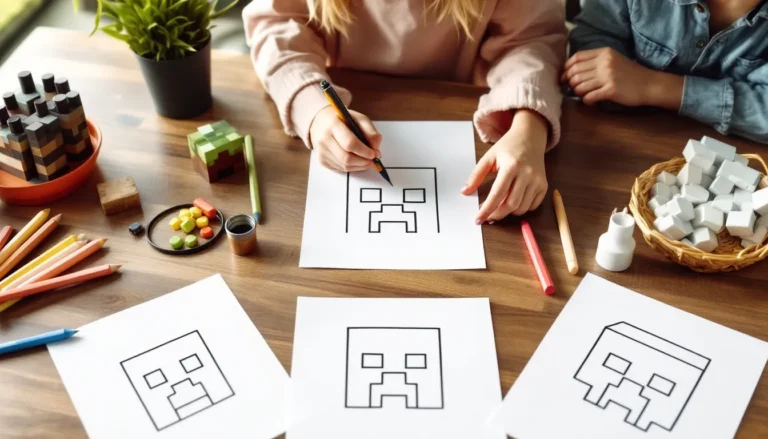
Working from a reference image makes statue construction dramatically easier. Whether it’s official character art, a screenshot of a mob, or a custom design sketch, having visual guidance prevents guesswork about anatomy and proportions.
For character statues, front and side view references are ideal. They help translate 2D images into 3D block structures by showing exactly how features should look from multiple angles. Screenshot the reference and keep it open on a second monitor or device during building. Some builders even print references and tape them near their workspace.
Player skin statues have an advantage here, the skin itself is already a block-based grid that maps directly to Minecraft’s building system. Third-party tools and websites can generate 3D models from skin files, showing exactly which blocks go where.
Picking the Perfect Location
Location affects visibility, context, and construction logistics. Flat terrain is easiest to build on, but statues on elevated positions or integrated into hillsides often look more dramatic. Coastal locations, mountain peaks, and desert plateaus all provide natural staging that enhances the final result.
Consider sightlines, where will players first see the statue? A monument positioned to be visible from a spawn point or major travel route gets maximum exposure. Also think about surrounding environment. A statue minecraft build that clashes with its biome (like bright concrete colors in a dark oak forest) can look out of place unless that contrast is intentional.
Leave clearance room around the construction site. Builders need space to circle the statue while working and to judge proportions from multiple angles. A cramped site makes construction awkward and limits photographic angles for showing off the finished work.
Best Blocks and Materials for Statue Building
Block selection directly impacts both the appearance and construction speed of minecraft statues. Different materials offer unique advantages depending on the desired aesthetic and whether the build is in creative or survival mode.
Concrete and Terracotta for Vibrant Colors
Concrete is the go-to material for modern, colorful statues. All 16 dye colors are available, providing an extensive palette for detailed work. The solid, uniform texture looks clean without visual noise, making colors pop. Concrete is especially effective for cartoon-style builds, player skins, and any statue where bright, distinct color zones matter.
The downside is production cost in survival mode. Concrete requires concrete powder (gravel + sand + dye) which then needs to touch water to solidify. For large statues requiring thousands of blocks, that’s significant resource investment. Creative mode eliminates this concern entirely.
Terracotta variants (glazed and regular) offer similar color variety with different textures. Regular terracotta has a softer, slightly muted appearance compared to concrete’s vibrancy. Glazed terracotta introduces directional patterns that can add visual interest to large flat surfaces but requires careful orientation to avoid chaotic looks.
Stone Variants for Classic Monuments
Stone materials convey permanence and tradition. Smooth stone, stone bricks, polished andesite, polished diorite, and polished granite all work well for classical statue aesthetics, the kind of monuments you’d expect in ancient temples or grand city centers.
These materials shine in grayscale and earth-tone builds. A statue of a warrior or mythological creature built in stone bricks with polished andesite details looks timeless. Stone materials also weather visually into surroundings better than vibrant colors, making them ideal for statues meant to look ancient or naturally integrated into landscapes.
Blackstone and deepslate variants added in recent updates (1.16 and 1.18 respectively) expanded the darker end of the stone palette. These work excellently for shadowing and adding depth to stone statues without resorting to less visually cohesive materials.
Wood and Organic Materials for Natural Statues
Wooden materials suit statues with organic themes, forest spirits, tree creatures, or rustic character builds. The variety of wood types (oak, spruce, birch, jungle, acacia, dark oak, mangrove, cherry, and bamboo as of 1.20+) provides subtle color gradients from light birch to nearly-black dark oak.
Wood blocks, planks, logs, and stripped variants all have distinct textures that can represent different surface qualities. Stripped logs offer clean lines, while regular logs add bark texture for rougher surfaces. Mixing wood types creates natural gradients, spruce fading into dark oak for shadow effects, for instance.
Other organic blocks like leaves, moss, vines, and flowers add literal life to statues. A golem covered in vines and moss looks ancient and overgrown. Flower accents can highlight specific features without requiring complex block work.
Step-by-Step Guide to Building a Minecraft Statue
Breaking statue construction into distinct phases prevents overwhelm and makes even massive projects manageable. This approach works whether building solo or coordinating with a team on multiplayer servers.
Creating the Foundation and Base Structure
Start with a solid base that anchors the statue and provides structural context. For standing figures, this might be a pedestal or platform. For creatures, it could be terrain that integrates with their pose, a dragon perched on a cliff, for instance.
Mark out the footprint using temporary blocks like wool in contrasting colors. This outline shows the statue’s ground-level dimensions and helps maintain symmetry. Many builders use a center line marker running through the build’s middle to keep left and right sides balanced.
If building in survival, construct scaffolding now. Bamboo scaffolding (added in 1.14) is cheap, fast to climb, and easy to remove. Position it around the perimeter of the build area. Adequate scaffolding access prevents dangerous pillar-jumping later when working on upper sections.
For very large statues, consider building the base structure as a simplified skeleton first, just the core vertical and horizontal elements that establish overall proportions. This framework can be filled in with proper materials once the basic shape is confirmed.
Building the Main Body and Proportions
Work from bottom to top, completing each vertical section before moving higher. This approach prevents floating sections and makes proportion checking easier, builders can step back and evaluate at each level.
Use the reference image constantly. Count blocks carefully to match proportions between different body parts. If the reference shows legs are half the total height, the statue’s legs should hit that ratio too. Small proportion errors compound as the build progresses, so catching them early is critical.
Symmetry is crucial for most statues. Build one side of symmetrical features (arms, legs, wings) completely, then mirror it exactly on the other side. Counting blocks and double-checking measurements prevents lopsided results. Some builders place temporary marker blocks on one side to track where the mirror points should go.
Don’t get bogged down in details yet. The main body phase is about establishing correct overall shape and proportions. Facial features, fingers, armor details, all that comes later. Getting the broad structure right is more important than perfecting any single element at this stage.
Adding Details and Finishing Touches
Once the main structure is solid, detail work brings the statue to life. This is where faces get expressions, armor gets texture, and clothing gains folds and depth.
Details often involve block variety within the same color range. A red concrete statue looks flat, but mixing red concrete with red terracotta and nether brick creates visual texture that implies surface variation. Using stairs, slabs, and walls instead of full blocks adds geometric complexity that catches light differently.
Depth variation is powerful. Recessing eyes by one block makes them look like actual sockets. Extending a nose or chin by one block creates shadows that define features. Armor plates that stick out from the body look three-dimensional rather than painted on.
Small touches make huge differences. Banners can add patterns to clothing or shields. Armor stands positioned as accessories (holding weapons or placed as statue details) integrate seamlessly at proper scale. Item frames with maps can create larger printed images on flat surfaces if the statue design incorporates them.
Tools and Techniques to Speed Up Your Build
Large minecraft statue projects can take dozens of hours without assistance. Smart tool use and mode selection dramatically reduce construction time without compromising creative vision.
Using WorldEdit and Other Building Mods
WorldEdit is the essential tool for serious builders on Java Edition. This mod allows selection-based editing, copy entire sections, flip them for symmetry, fill volumes with specific blocks, replace materials in bulk, and more. What might take hours of manual placement happens in seconds with the right WorldEdit commands.
Key WorldEdit functions for statues include:
- //copy and //paste for duplicating symmetrical sections
- //flip for mirroring builds across axes
- //replace for swapping placeholder blocks with final materials
- //stack for repeating patterns vertically or horizontally
Other useful mods include Litematica (creates holographic overlays of schematic files to build from) and Axiom (a newer editor with intuitive tools for organic shaping). These require spending time learning the interfaces, but they pay off for anyone building multiple large structures.
Bedrock Edition has fewer modding options, but add-ons and behavior packs can provide some automation. Structure blocks (available in both editions without mods) offer basic copy-paste functionality, though they’re limited to 64x64x64 areas.
Creative Mode vs Survival Mode Considerations
Creative mode is the obvious choice for pure artistic builds. Unlimited blocks, instant placement, flying, and no mob interruptions let builders focus entirely on design. For statues meant to showcase building skill rather than resource gathering, creative is the standard.
Survival mode statues carry different prestige. Every block represents resources mined and transported. The time investment is exponentially higher, making completed survival statues genuine achievements. Some builders live-stream the entire process to document the effort.
Survival statue builders need infrastructure: organized storage for materials, farms for renewable blocks (concrete powder production, tree farms, etc.), and safe construction areas (well-lit or mob-proof). Planning material needs ahead prevents mid-build resource runs.
A middle-ground approach is building the structure in creative on a test world, then recreating it in survival with the creative version as reference. This confirms the design works before committing survival resources.
Popular Minecraft Statue Ideas and Inspiration
Stuck deciding what to build? These minecraft statue ideas represent some of the most popular and impactful categories that builders return to again and again.
Character and Mob Statues
Minecraft’s own creatures make natural statue subjects. Enderman statues are particularly popular, their tall, slender proportions and distinctive purple eyes create striking silhouettes. Creeper statues work well as server landmarks due to instant recognizability. Dragon statues (especially the Ender Dragon) make impressive centerpieces but require serious space and planning due to wing span.
Characters from other games and media show up frequently. Recognizable figures with simple, bold designs translate best into blocks. The blockier the source material’s art style, the easier the adaptation, which is why characters from pixel art games or heavily stylized media work particularly well.
When building character statues, builders often reference dedicated game guides for character dimensions and proportions to ensure accuracy, especially when recreating characters that appear in multiple games with varying designs.
Player Skin Statues
Building a statue of a player’s custom skin is a common tribute on multiplayer servers. Since Minecraft skins are already 64×64 pixel templates mapped to a blocky player model, they convert directly to statue form with predictable scaling.
Player skin statues typically use a 10:1 or 12:1 scale (10-12 blocks for every pixel of the skin), which creates statues roughly 80-100 blocks tall. At this scale, every skin detail is visible and distinct. Concrete in matching colors recreates the skin’s palette accurately.
Some servers commission player statues as rewards for achievements, server anniversaries, or community recognition. A statue of a founding member or exceptional contributor becomes permanent server history.
Abstract and Artistic Sculptures
Not all statues need to represent specific subjects. Abstract sculptures, geometric shapes, flowing organic forms, or artistic interpretations of concepts, can be just as impactful as representational builds.
Abstract builds often experiment with material combinations and lighting in ways that realistic statues don’t. A sculpture made entirely of sea lanterns and glass creates a glowing beacon. Twisted spirals of differently-colored concrete create optical effects from different viewing angles.
These builds give creative freedom without the constraint of matching references. Proportions don’t need to be anatomically correct because there’s no anatomy to match. The only measure of success is visual impact and artistic intent.
Common Mistakes to Avoid When Building Statues
Even experienced builders fall into predictable traps when constructing minecraft statues. Recognizing these mistakes early saves time and frustration.
Inconsistent scaling is perhaps the most common error. Builders start with one scale in mind, then gradually drift as construction progresses. An arm that should be 8 blocks wide becomes 10 blocks because it “looked too thin.” These small adjustments compound until proportions are noticeably off. Solution: mark scale ratios clearly and check measurements constantly.
Flat surfaces make statues look like cardboard cutouts rather than three-dimensional structures. Beginners often build statues with flat fronts and backs, essentially creating wall murals that happen to be freestanding. Proper statues have depth, every angle should look intentional. Walking around the build should reveal new perspectives, not just expose an unfinished back side.
Wrong material choices for the build style create visual discord. Using concrete for a statue meant to look ancient and weathered contradicts the theme. Similarly, stone bricks on a modern, stylized character statue can look out of place. Match materials to aesthetic intent.
Ignoring lighting during planning leads to statues that disappear at night or are overwhelmed by mob spawns in survival mode. Builders get absorbed in daytime construction, then realize the finished statue is nearly invisible after sunset or creates dangerous shadow zones.
Poor location scouting results in statues that clip into terrain awkwardly, face the wrong direction for optimal viewing, or require extensive terraforming that wasn’t budgeted for. Always visualize the finished product in its environment before starting.
Skipping the test model phase causes proportion problems that require rebuilding large sections. A 15-minute small-scale prototype catches issues that waste hours of full-scale construction time.
Advanced Tips for Professional-Looking Statues
Separating good statues from truly impressive ones often comes down to subtle enhancements that many builders overlook. These advanced techniques add polish that makes builds stand out.
Incorporating Lighting and Atmosphere
Strategic lighting transforms statues from daytime-only attractions into 24/7 landmarks. Hidden sea lanterns, glowstone, or (as of 1.19+) froglights can illuminate statues from within or below without visible light source blocks breaking immersion.
For statues with hollow interiors, placing light sources inside and using translucent blocks (glass, stained glass, sea lantern) for certain features creates glowing eyes, magical effects, or ethereal qualities. A statue’s eyes that glow at night immediately grab attention.
External lighting using lanterns, torches, or light blocks positioned on surrounding structures highlights statues without requiring modification to the statue itself. Uplighting (lights at the base shining up) creates dramatic shadows that emphasize height and features.
Atmospheric effects using particles or specific blocks add life. A dragon statue with campfire smoke rising from its mouth looks like it’s breathing. End rods positioned as lightning bolts or energy beams create action poses. Builders exploring these effects often consult resources like game modification databases for community-created enhancement options.
Adding Terrain and Environmental Details
Statues rarely exist in vacuum. Environmental integration makes them feel like natural parts of the world rather than objects dropped onto terrain.
Terraforming around the statue to create complementary landscape features strengthens the presentation. A warrior statue positioned on a raised earthwork with banners and torches becomes a memorial site. A dragon statue integrated into a mountain, with its body emerging from the peak, looks like it’s part of the geology.
Complementary structures provide context. A statue of a historical server figure might stand in a plaza with smaller monuments, fountains, or gardens. These supporting elements guide the viewer’s eye toward the main statue while telling a broader story.
Pathways leading to statues create approach angles that control how visitors first see the build. A path that winds around terrain before revealing the statue in full creates a moment of impact that immediate visibility doesn’t achieve.
Natural overgrowth effects using vines, moss blocks, and selective foliage make statues look ancient and weathered. This works especially well for ruins-themed builds or statues meant to look like archaeological discoveries rather than recent construction.
Showcasing and Sharing Your Minecraft Statues
Building an impressive statue is only half the experience, showing it off properly ensures others appreciate the work that went into it.
In-game photography makes the difference between screenshots that look amateur and those that look professional. Use Minecraft’s built-in options to hide the HUD (F1 on Java Edition) for clean shots. Position the camera at interesting angles, slightly below looking up makes statues look more imposing, while elevated shots showcase scale and environmental integration.
Lighting matters as much in screenshots as in actual builds. Golden hour (sunset/sunrise) provides warm, dramatic lighting. Shaders (via mods like Optifine, Iris, or Bedrock’s RTX) add shadows, ambient occlusion, and atmospheric effects that make screenshots look stunning. Time the shot for optimal weather, clear skies for maximum visibility, or stormy conditions if that enhances the mood.
Video tours let viewers experience the statue from multiple angles and appreciate details that single screenshots miss. Screen recording software (OBS, native Xbox/PlayStation recording, or Minecraft’s built-in recorder on Java 1.20+) captures smooth footage. Slow camera movements that circle the statue or pull back to reveal full scale create engaging content.
Server integration for multiplayer builds includes adding server coordinates to spawn boards, creating warp points for easy access, or building the statue near high-traffic areas. Some servers run building competitions where statues compete for recognition, providing built-in audience and feedback.
Social sharing through Reddit communities (r/Minecraft, r/Minecraftbuilds), Twitter, Instagram, Discord servers, and YouTube reaches broader audiences. Platform-specific considerations matter, Instagram favors single striking images, Reddit appreciates imgur albums showing building progression, YouTube viewers want tours with voiceover explanation.
Properly crediting co-builders, providing seed and coordinates for impressive locations, and sharing technical details about construction (block counts, time invested, whether survival or creative) helps other builders learn while showcasing the achievement.
Conclusion
Minecraft statues represent some of the most visible and impressive builds in the game. They combine artistic vision with technical execution, requiring planning, patience, and often significant resource investment. Whether working in creative mode for pure artistic expression or grinding out a survival build to prove dedication, the process of transforming reference images and creative concepts into massive block structures remains one of Minecraft’s most satisfying creative challenges.
The fundamentals, proper scaling, material selection, proportion checking, and environmental integration, apply to every statue regardless of style or subject. Mastering these basics provides the foundation for increasingly ambitious projects. From there, advanced techniques like strategic lighting, terrain integration, and detail work separate competent builds from memorable landmarks.
Starting with smaller projects builds skills without overwhelming commitment. A 30-block mob statue teaches the fundamentals faster than immediately tackling a 150-block character build. Each completed project develops judgment about proportions, materials, and techniques that carry forward to the next build. The minecraft statue community continues to push boundaries with increasingly creative and technically impressive works, proving that even after years of building, there’s always room for innovation within Minecraft’s blocky constraints.