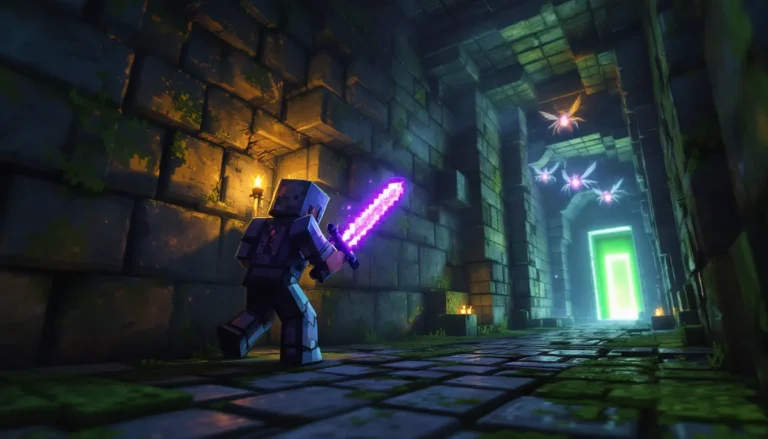
Every Minecraft world starts the same way: you spawn in, scan the horizon, and wonder what lies beyond that first hill. But what you find, whether it’s a sprawling plains biome perfect for your starter base or a jagged mountain range begging for an epic fortress, shapes your entire playthrough. Minecraft’s landscape isn’t just scenery: it’s the foundation of resource gathering, build planning, and exploration strategy.
With terrain generation continuously evolving through updates like the Caves & Cliffs revamp and the ongoing refinements in 2026, understanding how biomes work and where to find them has never been more critical. Whether you’re hunting for that perfect seed, planning a massive terraforming project, or just trying to figure out why you can’t find a jungle temple, this guide covers everything from basic biome mechanics to advanced landscape customization with mods and shaders.
Table of Contents
ToggleKey Takeaways
- Minecraft landscapes shape your entire gameplay experience through biome-based resource distribution, mob spawns, terrain challenges, and building opportunities.
- Seeds and commands like /locatebiome make finding specific Minecraft landscapes significantly faster than wandering aimlessly through procedurally generated worlds.
- Natural landscaping techniques—layering terrain, following elevation changes, and blending biome transitions—create realistic builds that enhance rather than flatten natural features.
- Biome-specific resources like diamonds in deep slate, exposed ores on mountain peaks, and unique plants (bamboo, cherry trees, mangrove) require strategic exploration and targeted gathering.
- Mods like Biomes O’ Plenty and Terralith, combined with shader packs like Complementary Shaders, dramatically expand landscape variety and visual customization without core gameplay changes.
- Large-scale exploration becomes manageable with preparation strategies including marker towers, lodestones, Nether fast-travel networks, and coordinate tracking across diverse terrain types.
Understanding Minecraft Landscapes and Biomes
What Makes Minecraft Landscapes Unique
Minecraft’s procedural generation creates landscapes that feel both familiar and alien. No two worlds are identical, yet they all follow the same underlying rules. The game divides terrain into biomes, distinct regions with specific block types, weather patterns, mob spawns, and structures.
What sets Minecraft apart from other sandbox games is the sheer variety packed into each world. You can walk from a frozen tundra into a desert in under a minute, or discover a massive cave system that runs beneath three different biomes. The landscape isn’t just visual, it directly affects gameplay. Temperature determines whether water freezes, altitude influences ore distribution, and biome type dictates which mobs spawn.
The vertical dimension matters too. Since the 1.18 Caves & Cliffs Part II update, worlds stretch from Y-level -64 to 320, giving landscapes unprecedented depth and height. Mountains can tower over 200 blocks tall, while caves plunge deep enough to hit the deepstone layer.
How Terrain Generation Works in Modern Minecraft
Minecraft uses a seed value, a string of numbers or text, to generate every aspect of a world. Feed the same seed into the game twice, and you’ll get identical terrain, biome placement, and structure locations (assuming the same version).
The generation process starts with continental noise, which determines large-scale landmass shapes. Then erosion, peaks and valleys (PV), and temperature/humidity layers add detail. These noise maps stack and interact to create the final terrain. It’s why you get realistic-looking mountain ranges with foothills, or why rivers sometimes carve through valleys.
Biome distribution follows climate zones. Temperature bands run roughly east-west, which is why you’ll often find snowy biomes near each other and deserts clustered together. But the system isn’t perfectly uniform, pockets of mismatched biomes create those interesting border regions where jungle meets desert.
As of 2026, Mojang has continued tweaking generation parameters to improve biome transition smoothness and reduce awkward chunk borders from older world updates. Modern terrain feels more natural than ever, with gradual elevation changes and fewer floating islands (unless you’re in specific biomes that naturally generate them).
Essential Biomes Every Player Should Know
Overworld Biomes and Their Key Features
The Overworld contains over 60 distinct biome variants, but a dozen or so form the backbone of most survival experiences:
Plains remain the starter-friendly classic. Flat terrain, villages, passive mobs, and easy sightlines make them ideal for early bases. Sunflower plains add visual flair without changing resources.
Forests (oak, birch, dark forest) provide abundant wood and are common spawn points. Dark forests spawn woodland mansions and have huge mushrooms, great for mid-game exploration.
Taiga biomes come in regular, snowy, and mega variants. Mega taigas (now called old growth taiga) feature massive spruce trees and podzol blocks, plus higher spawn rates for wolves.
Mountains got a massive overhaul in 1.18. You’ll find meadows, groves, snowy slopes, jagged peaks, frozen peaks, and stony peaks. Each sub-biome has unique terrain features, jagged peaks are the only place to find exposed iron and coal ore above Y-level 100.
Swamps spawn slimes at night and contain witch huts. Mangrove swamps (added in 1.19) feature unique mangrove trees and mud blocks, essential for certain building palettes.
Deserts offer sand, sandstone, cacti, and desert temples. They’re also one of the few places to find husks and desert villages with distinct architecture.
Rare and Hard-to-Find Landscapes
Some biomes are deliberately scarce, making them valuable exploration targets:
Mushroom Fields are the rarest Overworld biome, generating only as islands in deep oceans. No hostile mobs spawn here naturally (except in structures), making them perfect for peaceful builds. Mooshrooms are exclusive to this biome.
Badlands (formerly mesa) generate with exposed terracotta layers in vibrant colors. The eroded badlands variant creates dramatic spire formations. They’re relatively uncommon and often spawn far from the world origin.
Jungle biomes are massive when they do generate, but finding one can take thousands of blocks of exploration. They contain jungle temples, ocelots, parrots, bamboo (in bamboo jungle variants), and cocoa beans.
Ice Spikes plains feature towering packed ice formations that can reach over 50 blocks tall. They’re rare variants of snowy plains and look incredible but offer little functional advantage beyond the packed ice itself.
Deep Dark biomes spawn exclusively below Y-level 0, usually under mountains. They contain ancient cities with unique loot and the Warden, arguably the game’s most dangerous mob. Sculk sensors and shriekers make exploration tense.
Nether and End Dimension Landscapes
The Nether’s five biomes each serve distinct purposes:
Nether Wastes are the classic Nether, netherrack everywhere, ghasts floating around, and fortress spawn potential.
Crimson Forest and Warped Forest feature fungi-based “trees” and hoglins (crimson) or endermen (warped). The warped forest is the safest Nether biome since few hostile mobs spawn there.
Soul Sand Valley generates with soul sand, soul soil, and basalt pillars. It’s treacherous to traverse due to the soul sand’s slow effect but necessary for soul-based materials.
Basalt Deltas are hellish landscapes of basalt columns and blackstone. Magma cubes spawn frequently. Great for basalt and blackstone farms.
The End is simpler: the central island with the dragon fight, then the outer islands (reached via end gateways) with chorus plants and end cities. Players looking for terrain variety in the game’s main world benefit most from creative building projects that enhance the natural landscape.
Finding the Perfect Landscape for Your Build
Using Seeds to Generate Specific Landscapes
Seeds are the fastest way to guarantee the landscape you want. Instead of wandering for hours hoping to find a mushroom island next to a village, you can punch in a seed and spawn exactly where you need to be.
Popular seed databases like Minecraft Seeds (on Reddit) and dedicated seed-finding sites showcase community discoveries. Look for seeds tagged with your desired features: “spawn on mountain overlooking ocean,” “village + jungle temple + desert pyramid within 500 blocks,” or “all biomes within 2000 blocks.”
When choosing seeds, check which version they were generated on. A 1.18 seed might produce different terrain in 1.20+ due to generation tweaks. Most seed sites specify version compatibility.
For custom requirements, tools like Cubiomes Viewer let you search millions of seeds based on criteria like specific biome combinations, structure placement, or spawn point preferences. You can filter for things like “stronghold within 1000 blocks of spawn” or “four different villages within visual range.”
Tools and Commands for Locating Biomes
Once you’re in a world, several methods help you locate specific landscapes:
/locatebiome is the most straightforward command. Type /locatebiome minecraft:jungle and the game returns coordinates to the nearest jungle biome. This works in both Java and Bedrock (syntax may vary slightly).
Keep in mind the command searches in a spiral pattern outward from your position. If you’re already inside or very close to the biome you’re searching for, it might return coordinates thousands of blocks away for the “next” instance.
Chunkbase is a web-based tool that visualizes biome distribution for any seed. Plug in your world seed and version, and you’ll see a top-down map of all biomes. It’s indispensable for planning long-distance travel or finding rare biomes without wandering aimlessly.
Third-party minimaps (like JourneyMap or Xaero’s for modded Java) reveal biomes as you explore them. They won’t show unexplored areas, but they make tracking where you’ve been and what biomes you’ve passed through much easier.
For purists who want to explore naturally, cartography tables and maps remain the vanilla option. Create a map, explore to fill it in, then use a cartography table to zoom out. Maps don’t show biome boundaries, but they reveal terrain features that hint at biome types (color differences for forests vs. plains, etc.).
Building and Terraforming Minecraft Landscapes
Natural Landscaping Techniques for Realistic Builds
Great landscape design looks deliberate without looking artificial. The goal is to enhance natural terrain features rather than flatten everything into a grid.
Work with elevation changes instead of against them. If you’re building on a hillside, stagger your structures and use retaining walls or terraces. Buildings that follow the land’s contours feel more organic than those plopped onto flat platforms.
Layer your terrain. Real landscapes aren’t uniform. Add patches of coarse dirt, gravel paths, stone outcrops, and fallen logs (sideways logs with moss or mushrooms). Use slabs and stairs to create subtle height variations.
Vegetation density matters. Forests shouldn’t be evenly spaced trees. Cluster some areas densely, leave clearings, and scatter leaf piles (leaf blocks placed manually). Custom trees using different wood types and canopy shapes add visual interest.
Water features bring landscapes to life. Small ponds, streams connecting different elevation levels, or waterfalls cascading down cliffs all improve realism. Use lily pads, seagrass, and dripleaf sparingly, too much looks cluttered.
Blend biome transitions. When building across two biomes, gradually mix their characteristic blocks. For a plains-to-forest transition, scatter small oak trees into the plains and leave grassy clearings in the forest edge.
Custom Terrain Creation with World Edit and Mods
WorldEdit is the standard tool for large-scale terraforming on Java Edition. It lets you select massive regions and execute commands like //set, //replace, //smooth, and //naturalize.
Key WorldEdit techniques:
- //smooth rounds out harsh terrain edges, making custom mountains look less blocky.
- //overlay places a layer of specific blocks on top of existing terrain (great for adding grass or snow).
- //flora scatters vegetation across a region based on the biome.
- //gmask limits operations to specific block types, so you can modify stone without affecting grass.
For procedural generation, WorldPainter creates custom worlds from height maps. You paint terrain with different brushes, set biomes, and export as a playable world. It’s perfect for fully custom continents or recreating real-world locations.
On the mod side, Terraform Generator creates more realistic and varied terrain without changing the core Minecraft feel. Many experienced builders use it alongside WorldEdit for maximum control over landscape aesthetics.
Landscape Design Tips for Different Build Styles
Medieval builds benefit from rolling hills, cobblestone paths worn into the terrain, and small streams or rivers. Add stone walls following elevation contours and small vegetable gardens on flat plots.
Modern builds often require flattening and geometric landscaping. Think manicured lawns (carpet of green concrete or grass), rectangular water features, and clean concrete or stone borders. Minimalist vegetation, single trees as focal points, not forests.
Fantasy builds go wild with dramatic terrain. Floating islands (supported by custom waterfalls or vines), massive custom trees (jungle wood trunks, custom leaf canopies), and exaggerated elevation changes. Don’t be afraid to add unrealistic elements like glowing crystal formations (sea lanterns, glowstone) or colored terrain (concrete powder in unusual places).
Rustic/cottage core builds want gentle terrain with wildflower patches (flowers of multiple types scattered naturally), overgrown stone paths, small ponds with reeds, and kitchen gardens. Use bone meal liberally to create lush grass and flower density.
Resource Gathering Across Different Landscapes
Best Biomes for Specific Resources and Materials
Knowing which biome yields which resources streamlines your gathering and prevents wasted exploration time.
Diamonds and Ancient Debris: Deep slate layers exist under all biomes, so for diamonds (below Y-level -50 to -64), biome doesn’t matter. Ancient debris in the Nether spawns best around Y-level 15.
Iron and Coal: Mountains, especially stony peaks and jagged peaks, expose ore veins above Y-level 80. You can strip-mine surface-level mountains for massive iron hauls.
Lapis and Redstone: These spawn best in deep slate layers (Y-level 0 to -64). Lapis has an additional high spawn rate around Y-level 0.
Wood types: Each forest biome offers specific wood. Oak and birch are common, spruce requires taiga, jungle wood needs jungle biomes, acacia spawns in savanna, dark oak in dark forests, and mangrove in mangrove swamps. Cherry trees (from 1.20’s cherry grove biome) are exclusive to those pink-blossomed groves.
Terracotta and sand: Badlands have the most terracotta variety and red sand. Regular deserts and beaches have standard sand.
Ice blocks: Frozen peaks and ice spikes plains offer packed ice and blue ice. Ice spikes are the only renewable source of packed ice without villager trading.
Unique plants: Bamboo grows in jungle and bamboo jungle biomes. Cocoa beans are jungle-exclusive. Cactus spawns in deserts. Chorus fruit is End-exclusive.
Mob-specific drops: Slime chunks work anywhere, but swamps spawn slimes based on moon phase. Witches spawn in swamp huts. Players seeking comprehensive resource guides often consult resources like Game8 for detailed loot tables.
Farming and Sustainability in Various Terrains
Sustainable bases require thinking beyond just mining out the area.
Crop farming works in any biome, but temperature affects growth speed marginally. What matters more is light level and water access. Flat plains make large-scale farms easier, but terraced mountain farms look incredible if you’re willing to put in the effort.
Tree farms benefit from biome consideration. If you’re farming jungle trees for their massive size, replicate jungle conditions (2×2 saplings, adequate space). Dark oak also requires 2×2 sapling placement.
Mob farms depend heavily on spawn mechanics. Most hostile mob farms work anywhere, but slime farms need swamp biomes or slime chunks. Guardian farms require ocean monuments, and witch farms need swamp huts.
Villager trading halls are biome-independent but easier to protect in biomes with fewer natural mob spawns (mushroom fields are ideal, but their rarity makes them impractical for most players).
Renewable resources: Fishing works better in river and ocean biomes due to higher water volume. Cobblestone and obsidian generators work everywhere. Ice farming requires cold biomes where water freezes naturally.
Exploring and Documenting Landscapes
Navigation Tips for Large-Scale Exploration
Long-distance exploration in Minecraft requires preparation and strategy to avoid getting hopelessly lost.
Set a spawn point before leaving. Sleep in a bed at your base, or use a respawn anchor in the Nether. If you die during exploration, you’ll respawn there instead of the world spawn.
Build marker towers every 500-1000 blocks. A simple cobblestone pillar with torches at the top serves as a visible landmark. Bonus: place a sign at the base noting coordinates or direction to your base.
Use the Nether for fast travel. Eight blocks in the Overworld equals one block in the Nether. Build a Nether hub with tunnels pointing in cardinal directions, then create portals at regular intervals. This cuts travel time by 87.5%.
Bring a lodestone and compass. Lodestone compasses point to a specific lodestone block, not spawn. Place a lodestone at your base, right-click it with a compass, and you’ll always know which direction leads home.
Elytra and fireworks remain the fastest Overworld travel method once you’ve beaten the End. Combine with riptide tridents in rain for ridiculous speed, or use soul speed boots and soul soil paths for ground-based speed.
Coordinate tracking is essential. On Java, F3 shows coordinates by default. On Bedrock, enable “Show Coordinates” in world settings. Write down key locations: base, interesting biomes, villages, strongholds.
Many players refer to external guides like those on Twinfinite when planning extensive exploration routes across multiple biomes.
Creating Maps and Recording Your Discoveries
In-game maps are the vanilla option. Craft a map, expand it at a cartography table (up to 1:16 scale), and fill it by exploring. Maps can be duplicated and displayed in item frames to create a map wall, a grid of item frames showing your entire explored area.
For map walls, plan your grid before exploring. Each map at 1:4 scale covers 2048×2048 blocks. Start at coordinates that align with map boundaries (multiples of 2048) to avoid gaps.
Banners on maps mark locations. Place a banner, name it at an anvil, then right-click the banner with a map. The banner’s name appears on the map as a marker.
External mapping tools offer more detail:
- JourneyMap (Java mod) provides a real-time minimap and browser-based full map. It tracks waypoints, death locations, and mob spawns.
- Xaero’s Minimap is lighter-weight and pairs well with Xaero’s World Map for a two-mod solution.
- BlueMap creates a 3D web-based render of your world, viewable in a browser. It’s beautiful but resource-intensive.
Screenshots and note-taking remain underrated. When you find a cool landscape feature, hit F2 (Java) or the screenshot button (console), then note coordinates. Create a text file or Google Doc with locations and descriptions.
For creative documentation, some players build 3D scale models of their explored world at their base using map pixels as a guide. It’s tedious but looks incredible as wall art.
Advanced Landscape Customization and Mods
Top Mods for Enhanced Landscapes in 2026
Mods expand Minecraft’s landscape variety far beyond vanilla limitations. Here’s what’s popular in 2026:
Biomes O’ Plenty adds 80+ new biomes to the Overworld, from cherry blossom groves (before Mojang added them officially) to volcanic wastelands and mystic groves. It integrates cleanly with vanilla biomes and feels natural rather than gimmicky.
Terralith is a datapack (works without Forge/Fabric) that overhauls vanilla biome generation with 100+ new variants. It keeps vanilla blocks, so it’s compatible with any mod that doesn’t directly alter biomes. The terrain feels more dramatic and varied.
William Wythers’ Overhauled Overworld focuses on realistic ecology. Biomes transition more naturally, seasons change vegetation, and certain areas have unique weather patterns. It’s intensive on performance but gorgeous.
Ecologics adds smaller biome-specific features, coconut trees in jungles, flowering shrubs in plains, and sandstone ruins in deserts. It’s lightweight and enhances rather than overhauls.
Oh The Biomes You’ll Go (BYG) is the maximalist option, adding 80+ biomes with custom mobs, structures, and blocks. It’s beautiful but can feel overwhelming. Best for players who want a fresh experience and don’t mind learning new mechanics.
Traverse keeps things subtle, adding 20-ish biomes that feel like they could’ve been vanilla. It’s great for players who want more variety without losing Minecraft’s core feel.
All these mods are available on Nexus Mods, where players can browse compatibility info and user reviews before downloading.
Shader Packs That Transform Your Landscape Experience
Shaders don’t add content, but they make existing landscapes look phenomenal. As of 2026, here are the top choices:
Complementary Shaders (Unbound or Reimagined versions) are the current community favorites. They offer gorgeous lighting, realistic water, shadow mapping, and weather effects without completely destroying FPS. They’re highly customizable, so you can tweak performance vs. visuals.
BSL Shaders remain popular for mid-range systems. They add godrays, improved water, and subtle bloom without the performance hit of more demanding packs.
SEUS PTGI (Sonic Ether’s Unbelievable Shaders Path Traced Global Illumination) is the graphical peak, full raytracing for lighting and shadows. It requires a beefy GPU (RTX 3070 or better recommended) but makes Minecraft look like a AAA title.
Sildur’s Shaders come in multiple tiers (Lite, Medium, High, Extreme). Great for players who want shader aesthetics but have older hardware. Even the Lite version dramatically improves water and lighting.
Nostalgia Shader goes for a different vibe, enhanced vanilla colors and subtle effects without the hyper-realistic look. Perfect for players who want Minecraft to still look like Minecraft, just prettier.
Shaders pair exceptionally well with resource packs. Faithful or Umsoea R keep vanilla aesthetics but higher resolution, while packs like Mizuno’s 16 Craft add slight texture improvements that shine with good lighting.
To run shaders, you’ll need Optifine (Java) or Iris + Sodium (Fabric). Iris + Sodium generally performs better on modern systems. Players building elaborate structures often prefer shaders that highlight architectural details without oversaturating colors.
Conclusion
Minecraft’s landscapes are more than just the backdrop for your adventures, they’re the canvas, the resource supply, and half the reason each world feels unique. Whether you’re hunting for the perfect mountain peak to build a castle, setting up a Nether hub for dimension-hopping efficiency, or diving into mods to experience hundreds of new biomes, understanding how terrain works gives you control over your experience.
The combination of procedural generation and player creativity means no two builds ever have to look the same. Master the tools, seeds, commands, WorldEdit, mods, and you’ll transform from someone who adapts to the landscape into someone who shapes it. And when you layer on shaders and custom biomes, even worlds you’ve played for years can feel brand new.
Whether you’re exploring mobile versions or diving deep into modded Java playthroughs on the full desktop game, the landscape is yours to discover, document, and rebuild but you see fit.