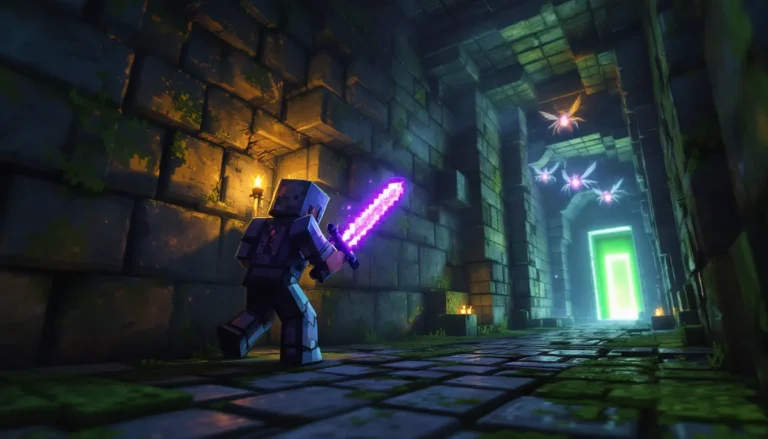
Building in Minecraft isn’t just about placing blocks, it’s about transforming raw materials into something that makes other players stop and stare. Whether you’re crafting a towering castle, a sleek modern home, or a sprawling fantasy village, the difference between a decent build and a masterpiece comes down to technique, planning, and understanding the tools at your disposal.
In 2026, Minecraft’s building community has never been more vibrant. With constant updates, expanded block palettes, and an ever-growing toolkit of mods and shaders, the possibilities are genuinely limitless. But with so many options comes the challenge: where do you start? How do you level up from functional boxes to structures that look like they belong in a professional showcase?
This guide breaks down everything a minecraft builder needs to know, from fundamental techniques that’ll sharpen your skills to advanced strategies for adding depth, texture, and character to your creations. Whether you’re a beginner placing your first foundation or a veteran looking to refine your craft, you’ll find actionable techniques to elevate your builds.
Table of Contents
ToggleKey Takeaways
- Master fundamental Minecraft build techniques like the 3-block rule for depth variation, proper roof angles, and strategic window placement to transform basic structures into polished creations.
- Effective minecraft build planning starts with gathering inspiration, defining project scope, and using in-game or external tools like blueprints and graph paper before placing blocks.
- Advanced depth and texture techniques—including column variation, block mixing at a 60-70% primary to 30% secondary ratio, and strategic layering—separate showcase-worthy builds from amateur designs.
- Choose your block palette carefully with 3-5 primary blocks and 3-4 accents per build, applying color theory principles like complementary and analogous colors to create visual cohesion.
- Avoid common mistakes including building too small, ignoring terrain surroundings, flat featureless walls, and poor lighting placement by planning interiors and maintaining consistent design choices throughout your project.
- Showcase your finished builds using shader enhancements, strategic camera angles during golden hour, and sharing across platforms like Reddit’s r/Minecraftbuilds, YouTube, or Planet Minecraft with detailed context and world downloads.
Understanding the Fundamentals of Minecraft Building
Before tackling ambitious projects, every minecraft builder needs to master the basics. Understanding your materials and core techniques forms the foundation, literally, of everything you’ll create.
Essential Building Blocks and Materials
Minecraft offers hundreds of blocks, but not all are created equal when it comes to building. Here’s what you need to know:
Core Structural Blocks:
- Stone variants (smooth stone, stone bricks, andesite, diorite, granite): Perfect for foundations, walls, and adding texture variation
- Wood types (oak, spruce, birch, jungle, acacia, dark oak, mangrove, cherry, bamboo): Each has distinct color tones: mixing types creates visual interest
- Concrete and terracotta: Offer vibrant, solid colors ideal for modern builds or accent elements
- Glass and stained glass: Essential for windows, skylights, and decorative features
Detailing and Accent Blocks:
- Slabs, stairs, and fences provide half-block and angled options for roofs, furniture, and railings
- Walls, trapdoors, and buttons add fine detail and functionality
- Vegetation blocks (leaves, vines, moss) soften hard edges and blend builds into landscapes
The key isn’t using every block available, it’s selecting a cohesive palette. Experienced minecraft builder workflows typically involve choosing 3-5 primary blocks and 3-4 accent blocks per build. This creates unity while maintaining visual variety.
Basic Building Techniques Every Player Should Master
Once you’ve got your materials sorted, these fundamental techniques will immediately improve your builds:
1. The 3-Block Rule
Never build walls that are perfectly flat and featureless. Vary depth by at least one block, push columns forward, set windows back, add buttresses. This creates shadows and breaks up monotony.
2. Roof Angles and Overhangs
Flat roofs work for modern builds, but traditional structures need proper pitch. Use stairs and slabs to create angles, and always extend roofs beyond walls by at least one block. Overhangs add realism and protect walls from looking boxy.
3. Foundation and Grounding
Buildings that sit directly on terrain look floaty and unfinished. Add a stone foundation that extends slightly beyond the walls, or terraform the land to create a natural base. Even simple bunker designs benefit from proper grounding techniques.
4. Window Placement and Symmetry
Windows shouldn’t just be holes punched in walls. Frame them with contrasting blocks, vary sizes, and consider spacing. Symmetry creates formality: asymmetry feels organic and lived-in. Choose based on your build’s purpose.
5. Interior Space Planning
Don’t just build exteriors. Plan interior room sizes before constructing walls, a common mistake is making rooms too cramped or awkwardly proportioned. Standard ceiling height is 3-4 blocks: anything less feels claustrophobic.
Planning Your Build: From Concept to Completion
Jumping into a build without a plan is the fastest way to end up with a half-finished mess in your world. Proper planning saves time, materials, and frustration.
Gathering Inspiration and Creating a Vision
Every great build starts with inspiration. Here’s where to find it and how to refine it into something actionable:
Real-World Reference:
- Architecture from any era translates beautifully into Minecraft blocks
- Screenshot buildings that catch your eye, focus on shapes, proportions, and details
- Note specific elements: window styles, roof angles, decorative features
Community Resources:
- Browse r/Minecraftbuilds and Planet Minecraft for trending styles
- Watch timelapse build videos to see techniques in action
- Study builds you admire, but don’t copy, adapt ideas to your style
Developing Your Vision:
Once you’ve got inspiration, define your project scope. Ask yourself:
- What’s the build’s purpose? (Survival base, creative showcase, roleplay setting)
- What style fits your world? (Medieval, modern, fantasy, steampunk)
- How much time and resources can you commit?
Be realistic. A sprawling castle layout is a weeks-long commitment. Starting smaller builds confidence and teaches techniques you’ll need for larger projects.
Blueprint Strategies and Scaling Your Design
With a vision in mind, it’s time to blueprint. You’ve got several approaches:
In-Game Planning:
- Outline with cheap blocks: Use dirt or wool to mark your footprint and basic shape
- Test room sizes: Build a few rooms to scale before committing to full walls
- Mark key features: Place temporary blocks where doors, windows, and focal points will go
External Planning Tools:
For complex builds, external tools provide precision:
- Graph paper works great for top-down floor plans
- Digital tools like MS Paint or dedicated grid software let you plan block-by-block
- Some builders use 3D modeling software, though that’s overkill for most projects
Scaling Considerations:
Minecraft’s block scale doesn’t match real-world proportions perfectly. A “realistic” door is 2 blocks tall, but real doors relative to wall height would be different. General rules:
- Residential buildings: 1 block = roughly 1 meter
- Scale up by 1.5-2x for impressive, grandiose structures
- Fantasy builds can ignore realism entirely, go for visual impact
Phased Construction:
Break large projects into phases:
- Foundation and basic shape
- Walls and roof structure
- Exterior detailing
- Interior layout
- Final details and landscaping
This approach keeps you motivated and lets you refine each phase before moving forward.
Advanced Building Techniques for Stunning Creations
Once you’ve mastered the fundamentals, these advanced techniques separate good builds from showcase-worthy masterpieces.
Mastering Depth, Texture, and Layering
Depth is the single most impactful improvement you can make. Flat walls look amateur: varied depth looks professional.
Creating Depth:
- Column variation: Alternate pushing columns forward 1-2 blocks
- Window recesses: Set windows back 1 block and frame with contrasting materials
- Balconies and ledges: Add protruding features that break up vertical surfaces
- Buttresses and supports: Not just decorative, they add architectural logic
Texture Through Block Mixing:
Using a single block type creates flat, dull surfaces. Mix similar-toned blocks for organic texture:
- Stone bricks + cracked stone bricks + mossy stone bricks = weathered medieval walls
- Different wood planks in the same family = natural wood grain variation
- Concrete + concrete powder = subtle color shifts
The ratio matters: 60-70% primary block, 20-30% secondary, 10% accent creates natural-looking variation without chaos.
Layering Technique:
Layering adds complexity to structures, especially roofs and overhangs:
- Multi-tiered roofs with each layer offset create visual interest
- Layer fences over walls for decorative railings
- Combine slabs at different heights for furniture and details
Color Theory and Block Palette Selection
Color choices make or break a build’s cohesion. Understanding basic color theory helps tremendously.
Complementary Colors:
Colors opposite on the color wheel create striking contrast:
- Blue (prismarine, blue concrete) + Orange (terracotta, acacia)
- Green (moss, lime) + Red (bricks, nether materials)
Use these sparingly for accent elements, not entire structures.
Analogous Colors:
Neighboring colors create harmony:
- Browns, tans, and oranges for warm, earthy builds
- Blues, greens, and teals for coastal or magical themes
- Grays, whites, and blacks for modern minimalism
Practical Palette Building:
- Choose a dominant color family (warm vs. cool)
- Select 2-3 primary blocks in that family
- Add 1-2 accent blocks for contrast (doors, roofs, trim)
- Test combinations in creative before committing
Many builders create test palettes, small 5×5 walls showcasing their block mix, before starting the actual build. When working on bridge designs, for example, testing stone and wood combinations ensures cohesion before spanning large distances.
Incorporating Redstone and Functional Elements
Aesthetic builds are great, but adding functionality elevates them to another level.
Practical Redstone Integration:
- Hidden lighting: Use redstone lamps behind blocks or under carpets for ambiance without visible light sources
- Automatic doors: Pressure plates or button-activated iron doors add convenience
- Secret entrances: Hidden piston doors behind bookshelves or paintings
- Drawbridges: Sticky pistons can create retractable bridge mechanisms for castles
Functional Without Redstone:
- Farms and gardens: Integrate crop farms, animal pens, or decorative gardens
- Storage systems: Build dedicated storage rooms with organized chest layouts
- Enchanting areas: Create aesthetic enchanting rooms with bookshelves and ambiance
- Smithing and crafting: Dedicated workstation areas with anvils, grindstones, and furnaces
The trick is making functional elements look intentional, not tacked on. A well-designed smithy with proper ventilation, tool storage, and forge area feels authentic. A crafting table shoved in a corner doesn’t.
Popular Build Types and How to Approach Them
Different build styles require different approaches. Here’s how to tackle the most popular categories.
Medieval and Fantasy Structures
Medieval builds remain the most popular style in Minecraft, and for good reason, the game’s default blocks suit this aesthetic perfectly.
Key Characteristics:
- Materials: Stone bricks, cobblestone, oak/spruce wood, brick blocks
- Roofs: Steep angles using oak or dark oak stairs
- Details: Exposed wooden beams, arched doorways, irregular window placement
- Weathering: Mix cracked and mossy variants for aged appearance
Approach Strategy:
- Start with an irregular footprint, perfect rectangles feel too modern
- Build thick walls (2 blocks minimum) for that fortress feel
- Add towers or elevated sections for visual variety
- Use buttresses for structural support appearance
- Age everything with moss, vines, and block variation
Fantasy Elements:
Push medieval into fantasy by adding:
- Magical elements (glowstone, sea lanterns, amethyst)
- Exaggerated proportions (impossibly tall spires, floating sections)
- Unusual materials (purpur, prismarine, end rods)
- Thematic color schemes (dark wizard tower = blackstone + deep slate)
Modern Architecture and Contemporary Designs
Modern builds require precision and restraint, they’re harder than they look.
Key Characteristics:
- Materials: Concrete, glass, quartz, smooth stone
- Lines: Clean, straight, minimal ornamentation
- Windows: Large glass panels, floor-to-ceiling when possible
- Palette: Monochromatic or limited color schemes (white + gray + one accent)
Approach Strategy:
- Plan meticulously, modern builds show every imperfection
- Use graph paper or planning tools for precise measurements
- Keep forms geometric: cubes, rectangles, clean angles
- Integrate negative space (empty areas are features, not bugs)
- Limit block variety, 3-4 blocks maximum
Common Modern Mistakes:
- Too much symmetry creates sterility (offset elements slightly)
- All white looks incomplete (add gray or black accents)
- Forgetting landscaping (modern builds need minimal, designed outdoor spaces)
Adding functional elements like hot tubs or infinity pools perfectly complements modern architecture’s luxury aesthetic.
Organic Builds: Terrain, Landscapes, and Nature
Organic building, terrain shaping, trees, caves, natural features, requires a completely different mindset.
Key Principles:
- Asymmetry: Nature isn’t symmetrical: neither should your builds be
- Layering: Use multiple block types in irregular patterns
- Scale variation: Mix large and small elements
- Imperfection: Random placement looks more natural than patterns
Custom Trees:
- Use logs for trunk and primary branches
- Vary branch thickness and direction
- Layer different leaf types for depth
- Add vines, moss, or flowers for detail
Terrain Shaping:
Creating natural-looking terrain from scratch:
- Build up and down simultaneously (no flat layers)
- Mix stone types randomly (stone, andesite, diorite in no pattern)
- Add cave openings and overhangs for complexity
- Use vegetation (grass, flowers, saplings) to blend edges
Water Features:
Custom ponds, rivers, and waterfalls:
- Natural water features are irregular in shape
- Use stone variants and clay for underwater details
- Add lily pads, sea grass, and coral (in warm biomes)
- Waterfalls should flow over varied heights, not straight drops
When building structures that blend with nature, like tent campsites, organic landscaping makes them feel part of the environment rather than dropped onto it.
Tools and Resources to Enhance Your Building
The right tools can dramatically improve your building workflow and final results.
Best Mods and Shaders for Builders
Essential Building Mods:
WorldEdit remains the gold standard for large-scale building:
- Copy/paste entire structures
- Fill large areas instantly
- Create perfect spheres, cylinders, and complex shapes
- Undo mistakes without rebuilding
Available for Java Edition through platforms like Nexus Mods, where the modding community continually updates compatibility with the latest Minecraft versions.
Litematica (Java) / Structure Blocks (Vanilla):
- Save builds as schematics
- Load templates into new worlds
- Overlay ghost blocks showing where to place materials
Axiom (newer tool gaining popularity):
- Advanced terrain sculpting
- Real-time brush-based editing
- Handles massive builds without lag
Shader Recommendations:
Shaders transform how builds look but impact performance differently:
- BSL Shaders: Balanced performance and beauty: great for screenshots
- Complementary Shaders: Highly customizable, works on mid-range systems
- Seus PTGI: Photorealistic ray tracing (requires high-end GPU)
- Vanilla Plus Shaders: Subtle improvements without FPS hit
Shaders are essential for showcasing builds. The same structure looks dramatically different with proper lighting and atmospheric effects.
External Planning Tools and World Editors
Minecraft Structure Planner: Free web tool for planning block-by-block in 3D before building
MCEdit (Java Edition): External world editor that allows:
- Massive terrain modification
- Importing schematics
- Cleaning up unwanted structures
- Batch operations across huge areas
Chunky: Standalone rendering software that creates high-quality images and videos of your world without loading Minecraft. Perfect for showcasing finished builds.
Planning Resources:
Sites like Twinfinite regularly publish build guides and technique breakdowns for specific structure types, offering step-by-step approaches that complement your own planning.
Block Reference Tools:
- Minecraft Wiki: Complete block properties, crafting recipes, and availability
- Online palette generators: Input your style, get suggested block combinations
- Color code charts: Match blocks to specific RGB values for pixel art
Using external editors for tasks like creating large-scale maps saves hours compared to doing everything in-game.
Common Building Mistakes and How to Avoid Them
Even experienced builders fall into these traps. Recognizing them early saves frustration.
Mistake #1: Building Too Small
New builders consistently underestimate scale. What looks big while building feels cramped when finished.
Solution: Build 1.5x larger than your first instinct. Add an extra block to wall heights, widen rooms by 2-3 blocks. You can always scale down: expanding a finished build is nightmare fuel.
Mistake #2: Flat, Featureless Walls
Unbroken planes of blocks look unfinished, no matter how nice the material.
Solution: Add depth variation every 3-5 blocks minimum. Push columns forward, recess windows, add buttresses. Even small decorative elements like doors with proper framing break up monotony.
Mistake #3: Ignoring the Surroundings
Building an amazing structure on flat, unmodified terrain makes it look out of place.
Solution: Terraform before, during, and after construction. Add pathways, gardens, walls, or natural features. Blend the build into its environment with transitional landscaping.
Mistake #4: Poor Lighting
Randomly placed torches ruin aesthetic builds. Mobs spawning inside is embarrassing.
Solution: Light level 8+ prevents spawns. Hide light sources:
- Behind trapdoors or in floor gaps
- Under carpets (doesn’t block light)
- In ceiling fixtures (lanterns, sea lanterns, glowstone)
- Use jack-o-lanterns facing walls (lit face hidden)
Mistake #5: Inconsistent Block Palette
Grabbing whatever’s in inventory creates visual chaos. Too many competing materials fight for attention.
Solution: Establish your palette before starting and stick to it. If you need to add blocks mid-project, test them first in a separate area. According to building guides on Game8, maintaining a consistent 5-7 block palette across a build keeps it cohesive while allowing variety.
Mistake #6: Copying Without Understanding
Following tutorials block-by-block teaches nothing. You’ll struggle when building independently.
Solution: Study tutorials to understand why builders make choices. What does that depth variation accomplish? Why that block combination? Learn principles, not just steps.
Mistake #7: Not Planning Interiors
Gorgeous exteriors with empty or awkward interiors waste potential.
Solution: Plan rooms simultaneously with exterior walls. Ensure logical flow, appropriate room sizes, and accessible storage/utilities.
Mistake #8: Giving Up on Large Projects
Ambitious builds stall when motivation fades. Half-finished structures litter worlds.
Solution:
- Break projects into small, completable chunks
- Set daily goals (“finish the east wall today”)
- Build in survival for ongoing motivation
- Team up with friends for shared accountability
- Accept that some projects won’t finish, that’s okay
Showcasing and Sharing Your Minecraft Builds
You’ve created something amazing. Now what?
Screenshot Best Practices:
Timing and Weather:
- Golden hour (sunrise/sunset) provides warm, dramatic lighting
- Overcast creates even, soft light that shows details
- Night shots with proper lighting show ambiance
- Use
/time setand/weather clearto control conditions
Camera Angles:
- Eye level for immersion
- Low angle looking up for grandeur
- High angle for showcasing layout
- Multiple angles show different aspects
- Get close for detail shots, far for context
Shader Usage:
Shaders make builds pop but can overshadow structure. Tips:
- Include both shader and no-shader versions
- Adjust shader settings to enhance, not overwhelm
- Watch for overexposure on white/bright builds
Sharing Platforms:
Reddit (r/Minecraftbuilds, r/Minecraft):
- Post during peak hours (evening US time)
- Include [Build] or [Creative] tags
- Write context in comments (time invested, inspiration, techniques)
- Engage with comments to boost visibility
Planet Minecraft:
- Upload world downloads for complex builds
- Tag appropriately for discoverability
- Write detailed descriptions with block counts and dimensions
- Update with additional screenshots over time
YouTube:
- Timelapse videos consistently perform well
- Narrate your process, explain decisions
- Speed depends on complexity (3-5 min sweet spot)
- Music choice matters: avoid copyright strikes
Instagram/Twitter:
- Hashtags: #Minecraftbuilds #Minecraft #MinecraftBuilder
- Carousel posts showing multiple angles
- Short clips > static images for algorithm favor
World Downloads:
For significant builds, offer world downloads:
- Clean up surrounding areas
- Remove personal storage/items
- Test that the world loads properly
- Include a text file with info (blocks used, build time, inspiration)
- Host on Planet Minecraft or CurseForge
Building a Portfolio:
If you’re serious about building:
- Create a dedicated account for builds only
- Maintain consistent posting schedule
- Document your progression over time
- Engage with other builders’ content
- Consider joining build teams for collaborative projects
Entering Competitions:
Many servers and communities run build competitions:
- Read rules carefully (allowed blocks, size limits, themes)
- Submit early, technical issues happen
- Screenshots quality matters as much as the build
- Don’t be discouraged by losses: feedback is valuable
Collaborative Builds:
Join multiplayer servers focused on building:
- Apply to build servers (many require application builds)
- Contribute to community projects
- Learn from other talented builders
- Get real-time feedback and suggestions
Conclusion
Mastering Minecraft building is a journey, not a destination. Every structure you create teaches something new, a technique that didn’t work, a block combination that surprised you, a design choice that elevated the entire build. The builders who create jaw-dropping structures didn’t start that way. They placed countless blocks, made mistakes, tore down and rebuilt, and gradually developed their eye for proportion, depth, and detail.
The techniques covered here, from fundamental depth variation to advanced color theory, from planning workflows to showcasing finished work, provide a framework. But your creativity determines what you build within it. Don’t just follow tutorials block-by-block. Understand the principles behind why certain choices work, then apply them in your own way.
Start your next build with intention. Plan it, even if roughly. Push yourself to try one new technique, maybe it’s more deliberate texturing, or incorporating redstone functionality, or tackling a build style you’ve never attempted. Each project should challenge you slightly beyond your current skill level. That’s where growth happens.
The Minecraft community continues expanding with builders sharing increasingly impressive creations. Your work could be next. Now stop reading and start building.